Wispr Flow Alternatives for Mac (2026): Better Dictation, or Voice That Acts?
The best Wispr Flow alternatives for Mac, compared honestly: dictation swaps like Superwhisper and VoiceInk, and voice agents like mrmr that take action.
TL;DR: Wispr Flow is one of the best dictation apps you can buy: 100+ languages, Mac, Windows, iPhone and Android, and clean text in any field. People look for a Wispr Flow alternative for one of two reasons, and they lead to different tools. If you want different dictation (offline, open source, cheaper, or a one-time price), look at Superwhisper, VoiceInk, Aqua Voice, or Willow Voice. If you want your voice to do things, not just type, you need a voice agent instead: mrmr, VoiceOS, or Alter. The best Wispr Flow alternative for voice-controlled automation on Mac is mrmr, which takes confirmed action across Slack, Linear, Gmail, Google Calendar, and nine more apps. For pure multilingual dictation, Wispr Flow is still the one to beat.
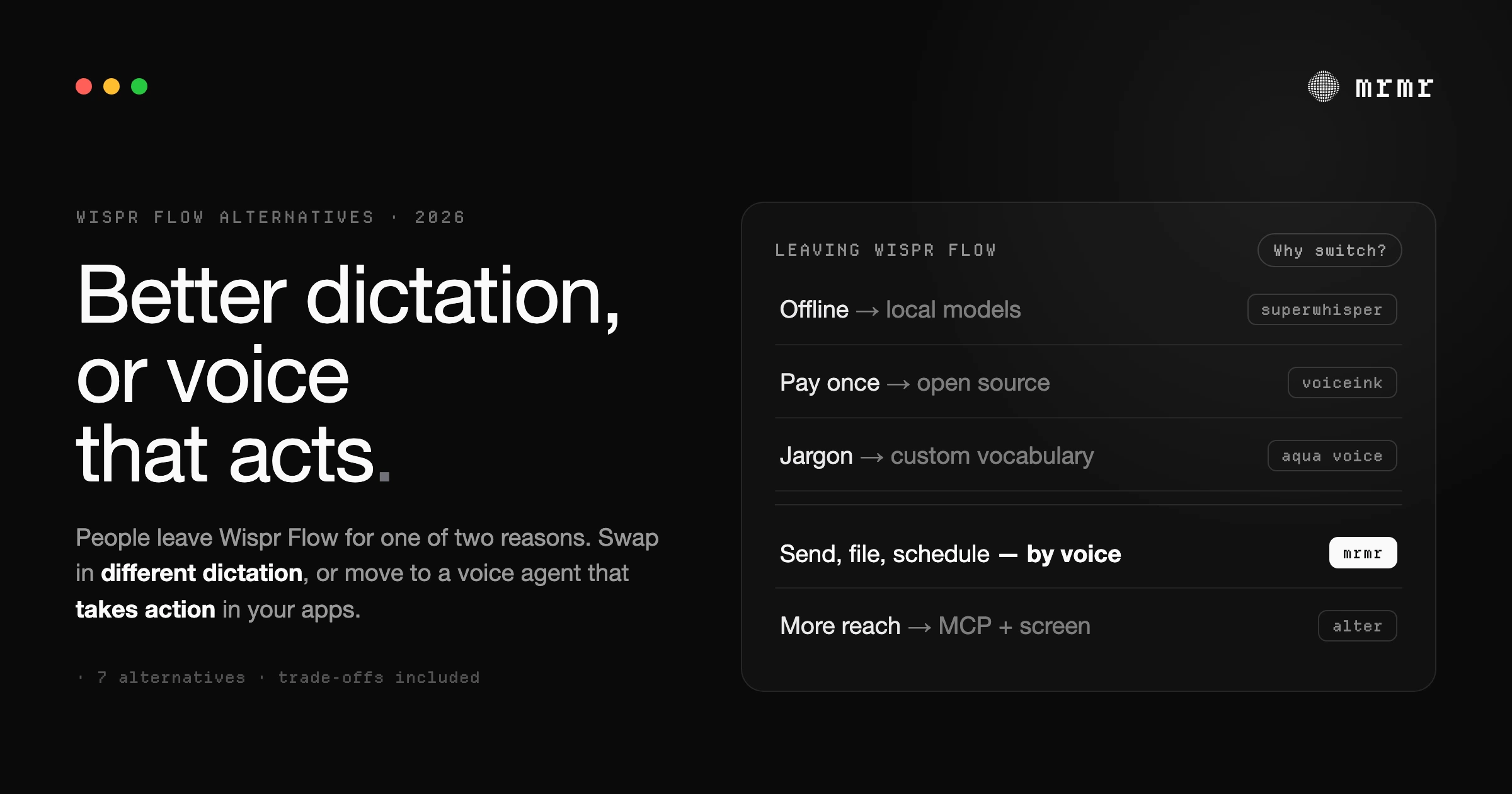
Most people searching for a Wispr Flow alternative are not unhappy with how Wispr Flow transcribes. It is fast, it is accurate, and it formats what you say into text that reads like you typed it. They have hit one of two walls.
The first wall is about the dictation itself: you want it offline, you want an open-source app you can audit, or you would rather pay once than subscribe. That is a dictation-for-dictation swap, and there are good options.
The second wall is the one dictation cannot get past. The words land in a text field, and then you still do everything else by hand: switch to Slack, find the thread, send. Open Linear, fill the form. Move the meeting. If that is your wall, a better dictation app will not help, because every dictation app stops at the same place. What you want is a voice agent.
This guide covers both, and says plainly which tool fits which wall.
The 7 alternatives at a glance
| Tool | Type | Takes action in your apps | Works offline | Price |
|---|---|---|---|---|
| mrmr | Voice agent + dictation | Yes: 12 app connectors, files, reminders, scripts | No | Private beta |
| VoiceOS | Voice agent + dictation | Yes: Slack, Gmail, Calendar, Notion, Outlook | No | Pro $11.99/mo (annual); no free sign-up |
| Alter | Voice agent (MCP, computer-use) | Yes | With local models | Free / $29 yr Local+ / $240 yr Pro |
| Superwhisper | Dictation | No | Yes (local models) | Free tier, then Pro subscription or lifetime |
| VoiceInk | Dictation (open source) | No | Yes | $25 one-time |
| Aqua Voice | Dictation | No | No | Free 1,000 words, Pro $8/mo annual |
| Willow Voice | Dictation | No | No | Free basic, Pro $12/mo annual |
Pricing for VoiceOS and Alter was verified in September 2026 for our AI assistant comparison; the dictation apps were verified on each vendor’s own pricing page in October 2026. These products change fast, so check before you buy.
What Wispr Flow does well (and why that matters here)
The honest comparison starts with what you would be giving up.
- Languages. Wispr Flow dictates in 100+ languages with automatic detection. If you switch languages mid-day, it is one of the strongest options available.
- Every platform. It runs on Mac, Windows, iOS, and Android. Most alternatives below are Mac-first or Mac-only.
- A real free tier. 2,000 words a week on desktop (1,000 on mobile), no credit card needed. Pro is $15/month, or $12/month billed annually.
- Teams and compliance. SOC 2 (Type I certified, Type II audit complete), HIPAA support under a signed BAA, a shared team dictionary, and snippets for text you say constantly.
What it does not do is take action in other apps. Its Command Mode, which requires a paid plan, does two things according to its own help center: it edits text that is already on screen, and it opens a web search in your browser (Google, Perplexity, ChatGPT, or Claude) with your words as the query. It does not send the Slack message, create the ticket, or move the event. That is not a flaw in Wispr Flow. It is the boundary of the dictation category.
If you want different dictation
Superwhisper: best for offline dictation with AI modes
Superwhisper transcribes on your Mac with local models and keeps working offline (“No Wi-Fi, no problem,” per its site). Its local models run best on Apple Silicon; Intel Macs do better on its cloud models. Its modes reshape what you say into an email, a summary, or a commit message using prompts you can customize.
Limitations: fully local is a configuration, not a default: it also ships cloud models, and its AI modes send text to cloud LLMs. It has many settings, which is power for some people and friction for others. Like Wispr Flow, it stops at text.
Price: free with 3,000 words of Pro features, then basic functionality permanently; Pro is a subscription, with yearly and lifetime options. Available on macOS, Windows, iOS, and Android. See our full Superwhisper alternative piece for how it compares to a voice agent.
VoiceInk: best open-source, one-time-price alternative
VoiceInk is open source, built in public on GitHub, and transcribes entirely on your Mac: per its site, your voice data never leaves your machine. Optional cloud enhancement processes only the transcribed text, never raw audio. Its Power Mode switches dictation settings by app or website.
Limitations: Apple Silicon only, macOS 14.4 or later, and Mac only (no Windows or phone). Expect more hands-on setup than a commercial app.
Price: one-time: $25 for one Mac, $39 for two, $49 for three, with lifetime updates.
Aqua Voice: best for technical vocabulary
Aqua Voice reads what is on your screen, from code syntax to everyday text, to transcribe jargon correctly, and its custom dictionary learns your names and terms. It supports 49 languages and runs on macOS, Windows, iOS, and Android.
Limitations: cloud processing (there is an optional Privacy Mode where nothing is stored on its servers). Realtime mode and its “Send it” voice command sit on the higher Max plan.
Price: free for 1,000 words; Pro is $8/month billed annually or $10 monthly; Max is $24/month annual or $30 monthly.
Willow Voice: best for a near-identical swap
Willow Voice is the closest like-for-like alternative: context-aware formatting that adapts to where you are typing, a custom dictionary, and the same press-and-speak model.
Limitations: cloud processing; Android is still listed as coming soon.
Price: a free Basic plan with no card (unlimited use of a lighter model); Pro is $15/month or $12/month billed annually. Runs on Mac, iOS, and Windows.
If you want your voice to do things
This is the category most “Wispr Flow alternatives” lists leave out, and it is the one people searching for “voice-controlled automations” actually mean. A voice agent does not hand you text to act on. It acts.
mrmr: best Wispr Flow alternative for voice-controlled automation
mrmr is a voice-first AI agent for Mac. Hold Fn to dictate into any app, the same way you would with Wispr Flow. Press Fn + Left Shift and you are in Agent Mode: a spoken conversation that takes action across your apps.
Say “create a Linear ticket for the checkout crash, post the link in #engineering, and add a follow-up to my calendar for tomorrow,” and mrmr creates the ticket, posts the link, and adds the event, in one conversation. It works through managed OAuth connectors to 12 apps (Slack, Linear, Google Calendar, Google Tasks, Google Meet, Zoom, Notion, Gmail, Cal.com, Calendly, Attio, and GitHub), plus Apple Reminders, files on your Mac, web search, and your own scripts. Before anything is sent, created, or changed in a connected app, mrmr shows you exactly what it is about to do and waits for a yes.
Limitations, honestly: mrmr transcribes in the cloud, so it is not an offline tool. It dictates in around 60 languages, fewer than Wispr Flow’s 100+. It is Mac only, with no phone app. It has no computer-use, so it acts only where it has a connector or a script, and it does not take your own MCP servers. It is in private beta, with pricing to be announced, and realtime Agent Mode is metered at 60 minutes a day and 10 hours a month (dictation is unlimited).
Best for: people whose work lives in Slack, Linear, Gmail, and Calendar and who want to say what should happen and have it happen, without handing an agent control of their screen.
VoiceOS: best for a mature, paid voice-to-action product
VoiceOS pairs dictation with an Agent Mode that executes multi-step actions in Slack, Gmail, Google Calendar, Notion, Outlook, Apple Mail, and Finder, with a confirmation step. It supports 100+ languages and runs on Mac and Windows.
Limitations: There is no free sign-up: per its pricing page, “the free tier is not a sign-up option,” and its weekly limits (100 dictation sessions and 25 Agent Mode sessions) apply only after you cancel Pro. Its connector set is narrower than mrmr’s, and processing is cloud-based. We compared it head to head in VoiceOS vs Wispr Flow.
Alter: best for power users who want everything
Alter combines MCP servers, native connectors, a Computer Use module that operates app interfaces, and local models through Ollama or LM Studio. If you want the most raw capability and enjoy configuring it, nothing in this list does more.
Limitations: that capability is also setup. The 2,000+ remote tools and premium voice models are Pro-only, and getting the most out of it assumes you want to tinker.
How to choose
- You want offline, private dictation: Superwhisper (local models) or VoiceInk (open source).
- You want to pay once: VoiceInk.
- You dictate jargon and code all day: Aqua Voice.
- You want the closest like-for-like swap: Willow Voice.
- You dictate in many languages or on your phone: stay on Wispr Flow. It is the best at this.
- You want your voice to take action across your work apps: mrmr. Twelve connectors, your own scripts, no setup, and every write confirmed first.
- You want a finished paid product centered on Google, Slack, and Notion: VoiceOS.
- You want maximum capability and will configure it: Alter.
You can also run two tools. A common setup is Wispr Flow (or a local dictation app) for everything that ends in a text field, and mrmr for the moments when voice needs to leave the text field and get something done.
Frequently asked questions
What is the best Wispr Flow alternative for Mac? It depends on why you are switching. For offline dictation, Superwhisper or VoiceInk. For a one-time price, VoiceInk. For voice that takes action across your apps rather than only typing, mrmr, a voice-first AI agent for Mac that sends messages, creates tickets, and manages your calendar by voice, confirming before every write.
What is the best alternative to Wispr Flow for voice-controlled automations on Mac? mrmr. Wispr Flow is a dictation app: its Command Mode edits on-screen text and opens web searches, but it does not act in other apps. mrmr takes confirmed action across Slack, Linear, Gmail, Google Calendar, Notion, GitHub, and six more apps, plus Apple Reminders, files, and your own scripts, from one spoken request. VoiceOS and Alter are the other voice agents worth comparing.
Can Wispr Flow send Slack messages or create tasks? No. Wispr Flow can dictate the text of a message, but it does not send it, create tasks, or schedule events. Its Command Mode edits existing text and runs web searches in your browser. A voice agent such as mrmr, VoiceOS, or Alter is built for that.
Is there a free Wispr Flow alternative? Yes. Superwhisper has a permanent free tier, Willow Voice has a free Basic plan, Aqua Voice gives you 1,000 free words, and Alter’s free tier stays functional with your own API keys or local models. VoiceInk is not free but costs $25 once. mrmr is in private beta.
Is there an offline alternative to Wispr Flow? Yes. Superwhisper (with its local models) and VoiceInk both transcribe on your Mac without an internet connection. Wispr Flow, Aqua Voice, Willow Voice, VoiceOS, and mrmr all process in the cloud.
Does mrmr replace Wispr Flow? For many people, yes: mrmr dictates into any app with Fn, in around 60 languages, and adds an agent that takes action. If you need 100+ languages or dictation on your phone, Wispr Flow is better at that, and the two work side by side.
Try mrmr
mrmr is a voice-first AI agent for Mac, in private beta. Hold one key to dictate anywhere, or press Fn + Left Shift and talk: it listens, talks back, and takes confirmed action across Slack, Linear, Gmail, Google Calendar, and more, plus your own scripts and your Mac.
Join the waitlist or Book a 20-minute demo
Sources
- Wispr Flow, Pricing (accessed October 2026). Pro at $15/month or $12/month billed annually; free plan of 2,000 words a week on desktop and 1,000 on mobile with no credit card; 100+ languages; Mac, Windows, iOS, and Android; shared dictionary and snippets on Pro.
- Wispr Flow, Enterprise privacy (accessed October 2026). SOC 2 Type I certification, a completed Type II audit, and HIPAA support under a signed BAA.
- Wispr Flow Help Center, How to use Command Mode (accessed October 2026). Command Mode edits text on screen and opens web searches; it needs a paid plan.
- Superwhisper, Superwhisper (accessed October 2026). Works offline with local models (best on Apple silicon); macOS, Windows, iOS, and Android; free tier with 3,000 words of Pro features.
- VoiceInk, VoiceInk (accessed October 2026). Open source, fully on-device transcription; $25, $39, or $49 one-time for one, two, or three Macs; Apple silicon and macOS 14.4 or later.
- Aqua Voice, Pricing (accessed October 2026). 1,000 free words; Pro at $8/month billed annually or $10 monthly; Max at $24 or $30.
- Aqua Voice, Aqua Voice (accessed October 2026). Screen context, realtime mode, and a custom dictionary.
- Willow, Pricing (accessed October 2026). Free plan with no credit card; Pro at $15/month or $12/month billed annually; Mac, iOS, and Windows.
- VoiceOS, Pricing (accessed October 2026). Pro at $11.99/month billed annually; “the free tier is not a sign-up option”; 100 dictation and 25 Agent Mode sessions a week after cancelling Pro.
- Alter, Pricing (accessed October 2026). Free tier with your own API keys or local models; Local+ at $29/year; Pro at $240/year; $720 lifetime.
Related reading:
- VoiceOS vs Wispr Flow: The Difference Is Not Where You Think It Is
- Superwhisper Alternative for Mac: When You Want Voice That Acts
- Best Dictation Apps for Mac (2026): 11 Compared
- Best AI Assistant for Mac (2026): 7 Voice Agents That Actually Take Action
- Speech-to-Action: Voice on Your Mac Should Do More Than Type

