Best Dictation Apps for Mac (2026): 11 Compared + Our Top Pick
11 Mac dictation apps compared on accuracy, offline use, and price, free and paid. Which one to pick for your workflow, and the catch with each.
TL;DR: Apple’s built-in dictation is fine for quick notes, but third-party apps like mrmr, Aqua Voice, and WisprFlow add cleanup, custom vocabulary, context awareness, and hands-free modes. mrmr (our own app, currently in private beta) is our pick for daily use: it goes beyond dictation with a voice agent that takes confirmed action across your work apps and your Mac.
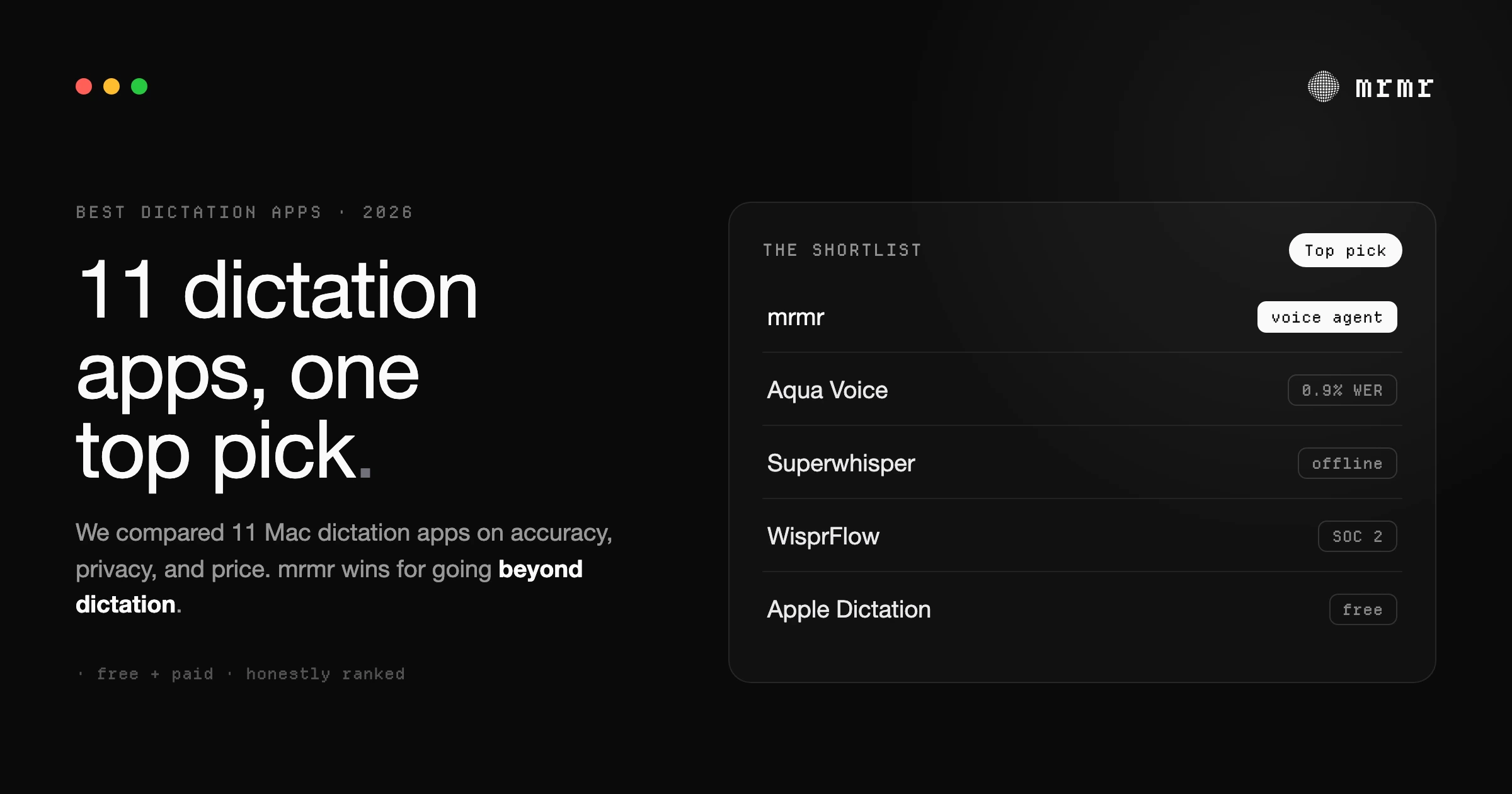
Speaking is faster than typing. In a Stanford study, people entered English text by speech at about 161 words per minute on a phone, against 53 by keyboard (Ruan et al.), and a study of 168,000 typists put average typing speed at about 52 words per minute (Dhakal et al.). If you’re typing thousands of words a week on your Mac, dictation software lets you write closer to the speed you talk.
This guide covers the best macOS dictation apps in 2026, from Apple’s built-in option to third-party tools with better accuracy and features. Whether you’re writing emails, drafting documents, or coding, there’s an app here that fits your workflow.
What is the best dictation app for Mac?
The best dictation app for Mac depends on what you need it for:
- Best free option: Apple Dictation. It’s built in, and on Apple silicon Macs many languages are processed on the device.
- Best fully offline, one-time price: VoiceInk ($25, open source) or MacWhisper (free, or €64 for Pro). Both transcribe on your Mac.
- Best polished cloud dictation: Willow Voice, the closest like-for-like to Wispr Flow, with a free Basic plan.
- Best if you want more than dictation: mrmr, our own app (in private beta), which dictates and also takes confirmed action across Slack, Linear, Gmail, Google Calendar and more.
The full comparison of all 11 is below.
Quick Comparison: Best macOS Dictation Apps
| App | Price | Top 3 Features |
|---|---|---|
| Apple Dictation | Free | Built-in, offline on Apple Silicon, no setup |
| mrmr | Private beta | Voice-first interface, voice agent, confirmed cross-app actions |
| Willow Voice | $15/mo ($12 annual) | Context-aware AI, custom dictionaries, ~200ms latency |
| VoiceOS | $11.99/mo billed annually (no free sign-up) | Auto-removes filler words, voice editing, agentic actions |
| Aqua Voice | $8/month | Screen context awareness, streaming mode, custom dictionary |
| Spokenly | Free (local), $9.99/month (cloud) | Local-only mode, AI prompts, 100+ languages |
| MacWhisper | Free, €64 one-time (Pro) | Offline transcription, batch processing, file transcription |
| Superwhisper | Free tier, Pro subscription or lifetime | Completely offline, multiple AI models, custom prompts |
| WisprFlow | $15/mo ($12 annual) | Cross-platform, SOC 2 audited, team features |
| BetterDictation | $39 lifetime (Pro add-on $2/mo) | One-time purchase, Whisper models, auto-punctuation |
| VoiceInk | $25 one-time (1 Mac) | Open-source, on-device Whisper, per-app Power Mode |
What Makes a Good Dictation App?
Accuracy - Understands your speech without constant corrections
Speed - Text appears in real-time, not 5 seconds later
System-wide support - Works in Gmail, Slack, code editors, everywhere
Privacy - Your audio isn’t stored on someone’s server
Smart formatting - Removes filler words, adds punctuation automatically
Activation - Simple shortcuts beat complex ones every time
Apple Dictation (Built-in)
Price: Free with macOS
Press fn twice and start talking. Apple’s dictation is already on your macOS and works in most text fields.
What’s good:
- No installation or setup
- Works offline on Apple Silicon Macs
- Free
- Decent accuracy for casual use
What’s not:
- Advanced polishing needs an M3 or later Mac with 12GB or more of memory
- No personal dictionary for names and jargon
- Ends after 30 seconds without speech
- Switching languages is manual
Best for: Occasional dictation, quick messages, users who don’t type enough to justify a paid app.
New in macOS 27: With macOS 27 (released September 2026), Apple’s more advanced dictation “captures what users say as polished text,” handling capitalization, punctuation, and formatting as you speak. It requires a Mac with an M3 or later chip and at least 12GB of unified memory.
mrmr
Price: Private beta (join the waitlist)
mrmr is a voice-first interface for macOS. It goes beyond dictation with speech-to-action: you can speak to search the web, create Linear tickets, send Slack messages, manage your Google Calendar, create instant Google Meet or Zoom meetings, and chain multiple actions together, all from the fn key.
What’s good:
- Two modes from one key: Dictation (fn) and Agent Mode (fn + shift)
- Dictation works system-wide in any text field: Gmail, Slack, Notion, code editors, anywhere
- Smart formatting removes filler words and adds punctuation automatically
- Hands-free mode via fn + space, or pressing space mid-dictation
- Agent Mode is a continuous voice agent that listens, talks back, and takes action across Slack, Linear, Google Calendar, Google Tasks, Google Meet, Zoom, Notion, Gmail, Cal.com, Calendly, Attio, Apple Reminders, and GitHub
- Built-in web search with cited sources, plus on-Mac file search
- Chain actions: one request triggers multiple apps (e.g., “Draft a reply to the client’s email and add a follow-up to my calendar”)
- Confirmation UI: nothing executes without your approval
- Privacy-first: audio stays on device, not stored externally
What’s not:
- Requires internet connection
- Currently in private beta
- Agent Mode integrations focused on Slack, Linear, Google Calendar, Google Tasks, Google Meet, Zoom, Notion, Gmail, Cal.com, Calendly, Attio, Apple Reminders, and GitHub (HubSpot, Jira, Outlook, Microsoft Teams coming soon)
Best for: Developers, founders, and product managers who want a voice layer on top of their entire workflow: not just dictation, but a voice agent that gets work done across apps. If you live in Slack, Linear, and Google Calendar, Agent Mode alone is worth the waitlist.
The hands-free transition is particularly useful. Start holding fn to dictate, realize you’re on a roll, hit space to go hands-free, and keep talking while your hands do other things. Most apps make you choose the mode upfront. mrmr adapts to your flow.
Willow Voice
Price: $15/month ($12/mo billed annually), free Basic plan
YC-backed dictation app with context-aware AI that understands what you’re working on. Press fn and speak in any application.
What’s good:
- Context-aware AI (understands technical terms and proper nouns based on what you’re doing)
- Automatic formatting adapts to where you’re typing (professional for emails, casual for Slack)
- Automatic filler word removal
- Text can appear in as little as 200ms
- Custom dictionaries for company names and jargon
- Works on macOS, Windows, iOS
What’s not:
- Higher monthly cost
- Requires internet connection
- Cloud processing (not fully private)
Best for: Professionals who work across multiple devices and need context-aware formatting, especially engineers using AI coding tools like Cursor.
VoiceOS
Price: $11.99/month Pro (billed annually). There is no free sign-up; a limited free tier (100 dictation and 25 Agent Mode sessions a week) applies only after you cancel Pro.
Universal voice layer that writes what you meant, not what you said. It has expanded beyond cleanup into an agentic tool that can also take actions in your Calendar, Gmail, and Slack.
What’s good:
- Advanced AI goes beyond basic speech-to-text
- Automatically removes “um” and “uh”
- Fixes grammar and formats professionally
- Voice editing (make changes with voice after dictating)
- Instruction assistant for instant writing
What’s not:
- Cloud processing (not private)
- Requires internet connection
- Less mature than competitors
Best for: Users who want a lightweight agentic dictation tool that cleans up writing and takes actions in Calendar, Gmail, and Slack. For deeper coverage (13 integrations, confirmation-gated writes, local scripts, and a continuous Mac-native agent), see mrmr.
Aqua Voice
Price: $8/month (billed annually), free tier (1,000 words)
Fast voice input with screen context awareness. Aqua reports 97.3% accuracy for its own model on the AISpeak benchmark, a self-reported figure.
What’s good:
- Screen context awareness (reads what’s on your screen for better accuracy)
- Streaming mode shows text as you speak (real-time feedback)
- Custom dictionary for names, brands, and technical terms
- Fast (Aqua reports it’s 31% faster than Wispr Flow in its own tests)
- Works on macOS and Windows
What’s not:
- Cloud processing (privacy concern for some)
- Monthly subscription
- Requires good internet connection
Best for: Developers and technical writers who need accurate transcription of jargon, code terms, and frameworks. Popular with engineers using voice for “vibe coding.”
Spokenly
Price: Free (local mode), $9.99/month (cloud features)
Offers both local offline dictation and cloud processing. Generous free tier with unlimited on-device transcription.
What’s good:
- Local-only mode (completely offline, 100% private)
- AI-powered text processing with smart prompts
- Voice commands to control macOS (search web, launch apps, run shortcuts)
- 100+ language support with automatic detection
- Works on macOS, Windows, and iPhone
- Affordable cloud tier if needed
What’s not:
- Less context awareness than competitors
- Smaller user base (fewer reviews)
- UI less polished than premium options
Best for: Privacy-conscious users who want offline dictation with the option to use cloud features when needed. Good balance of price and privacy.
MacWhisper
Price: Free, €64 one-time (Pro)
Built for transcribing audio files, not live dictation. Uses OpenAI’s Whisper models offline on your macOS.
What’s good:
- One-time purchase (no subscription)
- Completely offline transcription
- Batch transcription of multiple files
- System-wide dictation mode available
- Integrations with Notion, Obsidian, Zapier
- AI prompts for summaries and processing
What’s not:
- Primarily for file transcription, not live dictation
- Requires Apple Silicon for best performance
- More complex setup than simple dictation apps
Best for: Podcasters, journalists, researchers who need to transcribe recorded audio files rather than real-time dictation.
Superwhisper
Price: Free (3,000 words of Pro features, then basic use for free), Pro by subscription or lifetime license
Completely offline dictation with multiple AI model sizes. Choose between Nano, Fast, Pro, and Ultra models depending on accuracy needs.
What’s good:
- Completely offline (100% private, no cloud)
- Multiple AI models (choose speed vs. accuracy)
- Custom prompts and modes
- Deep links for automation
- Works on macOS, Windows, iOS, and Android
- Unlimited dictation on free tier (smaller models)
What’s not:
- Complex setup (many configuration options)
- Steeper learning curve
- Expensive lifetime option
- Best models require Pro subscription
Best for: Privacy-focused users and power users who want complete offline functionality and don’t mind configuration complexity.
WisprFlow
Price: $15/month ($12/mo billed annually), free plan (2,000 words/week)
Professional dictation built for teams and enterprises: SOC 2 Type I certified, with its Type II audit complete.
What’s good:
- SOC 2 audited, with HIPAA support under a signed BAA
- Cross-platform (macOS, Windows, iOS, Android)
- Context-aware formatting (different styles for different apps)
- Team vocabulary and collaboration features
- Removes filler words automatically
- Productivity tracking (word count, speaking speed)
What’s not:
- Higher monthly cost
- More features than solo users need
- Cloud processing required
Best for: Teams, healthcare/legal/financial professionals who need compliance certifications, and users working across multiple devices. Looking to switch? See Wispr Flow alternatives for Mac.
BetterDictation
Price: $39 lifetime (Basic), $49 lifetime with an optional $2/month Pro add-on (Flex)
Simple, affordable dictation using Whisper models. One-time purchase with optional Pro subscription for AI features.
What’s good:
- One-time payment (no ongoing subscription for basic)
- Uses Whisper models for accuracy
- Auto-punctuation
- Works in 100+ languages
- Affordable Pro tier ($2/month) for grammar fixes and advanced formatting
What’s not:
- Requires Apple Silicon
- No hands-free mode
- Basic feature set compared to premium options
- Windows support coming but not available yet
Best for: Budget-conscious users who want better accuracy than Apple’s dictation without recurring costs. Good middle ground between free and premium.
VoiceInk
Price: $25 one-time for one Mac, $39 for two, $49 for three (free if you build from source)
Open-source dictation (GPL v3) that runs Whisper models entirely on your Mac. A no-subscription alternative to Superwhisper and Wispr Flow that has become the open-source favorite, with 4,000+ GitHub stars.
What’s good:
- Fully open-source (GPL v3) and auditable
- On-device Whisper models (tiny through large) plus Parakeet, so audio never leaves your Mac
- One-time purchase, no subscription
- Power Mode automatically switches dictation settings based on the active app or website
- Personal dictionary for names, jargon, and technical terms
- System-wide insertion in any text field
What’s not:
- Requires Apple Silicon (macOS 14.4+)
- macOS only (no Windows or iOS)
- More hands-on setup than polished commercial apps
- Best text cleanup needs opt-in cloud AI enhancement (bring your own API key)
Best for: Privacy-focused and technical users who want offline dictation, a one-time price, and open-source transparency, and don’t mind a little setup.
Which Dictation App Should You Choose?
Choose Apple Dictation if:
- You dictate occasionally (few times a week)
- Basic accuracy is fine
- You don’t want to spend money
Choose mrmr if:
- You want more than dictation: search and cross-app actions from your voice
- You dictate daily across multiple apps
- You want seamless hands-free mode switching
- You live in Slack, Linear, and Google Calendar
- You value simple, fast activation (just hold
fn)
Choose VoiceOS if:
- You want dictation that also takes actions in Calendar, Gmail, and Slack
- You like speech-to-action but want a lighter setup than a full voice agent
- You don’t mind cloud processing
Choose Willow Voice if:
- You need context-aware formatting
- You work with AI coding tools frequently
- You want a fast response time (Willow says as little as 200ms)
- You work across macOS, Windows, and mobile
Choose Aqua Voice if:
- You’re a developer who dictates code and technical terms
- You need screen context awareness
- Real-time streaming text is important
- You want high accuracy for technical content
Choose Spokenly if:
- Privacy is your top priority (need offline option)
- You want flexibility (local or cloud)
- Budget is tight (free local mode)
- You need voice commands beyond dictation
Choose MacWhisper if:
- You transcribe recorded audio files (podcasts, meetings, lectures)
- You prefer one-time purchases over subscriptions
- You need batch processing
- You’re a journalist, researcher, or podcaster
Choose Superwhisper if:
- Offline privacy is non-negotiable
- You’re comfortable with technical setup
- You want maximum customization
- You’re willing to pay premium for complete control
Choose WisprFlow if:
- You need SOC 2/HIPAA compliance
- You work on a team
- You use multiple devices (macOS, Windows, iOS)
- Enterprise features matter
Choose BetterDictation if:
- You want a one-time purchase
- You need better accuracy than Apple’s option
- You don’t need advanced features
- Budget is a concern
Choose VoiceInk if:
- You want open-source, auditable dictation
- Offline, on-device privacy matters
- You prefer a one-time purchase over a subscription
- You’re comfortable with a little setup
How to Get Started with macOS Dictation
-
Try Apple’s built-in dictation first - Go to System Settings > Keyboard > Dictation and turn it on.
-
Use it for a week - Dictate emails, messages, documents. See if you’re actually using it.
-
If you’re using it daily, try a paid app - Start with free trials. Test with your actual workflow.
-
Pick based on your workflow:
- Voice-first interface for your whole workflow → mrmr
- Dictation plus light agentic actions → VoiceOS
- Heavy typing across many apps → Willow or Aqua
- Need offline privacy → Superwhisper or Spokenly
- Transcribe recorded files → MacWhisper
- Team/compliance needs → WisprFlow
- Budget-conscious → BetterDictation
- Open-source, offline, one-time price → VoiceInk
FAQ
What is the best dictation app for Mac? It depends on what you need. For free, built-in dictation, Apple Dictation. For fully offline dictation with a one-time price, VoiceInk or MacWhisper. For polished cloud dictation like Wispr Flow’s, Willow Voice. For a dictation app that also takes action in your work apps, mrmr, our own app, which is in private beta.
What’s the best free dictation app for macOS? Apple’s built-in Dictation is the best free option. It works offline on Apple Silicon Macs and handles basic dictation well. Spokenly also offers a generous free tier with offline local processing.
Which dictation app is most accurate? There is no independent, like-for-like accuracy test across these apps, and vendors measure accuracy in different ways. Aqua Voice, for example, reports 97.3% accuracy for its own model on the AISpeak benchmark. Accuracy also depends on your voice, vocabulary, and microphone, so test the shortlist on your own writing, including the names and jargon you use every day.
Can I use dictation offline on macOS? Yes. Apple Dictation works offline on Apple Silicon Macs. Superwhisper, VoiceInk, BetterDictation, MacWhisper, and Spokenly (local mode) also work completely offline. Most cloud-based apps (mrmr, Willow, Aqua, WisprFlow) require internet.
How much does macOS dictation software cost? Free (Apple Dictation) to $15/month (Willow Voice). One-time options: $25 (VoiceInk), $39 (BetterDictation), €64 (MacWhisper Pro), plus a Superwhisper lifetime license. mrmr is currently in private beta (join the waitlist). Most apps offer free trials.
Does dictation work in all macOS apps? Most dictation apps work system-wide in any text field: Gmail, Slack, Google Docs, code editors, etc. Apple’s built-in dictation has the widest compatibility. Third-party apps like mrmr, Willow, and Aqua work anywhere you can type.
What’s the difference between cloud and offline dictation? Cloud dictation (mrmr, Willow, Aqua, WisprFlow) sends audio to servers for processing, offering better accuracy and features but requiring internet. Offline dictation (Superwhisper, BetterDictation local, MacWhisper, Spokenly local) processes everything on your macOS for complete privacy but may be slower or less accurate.
Which app does more than just dictation? mrmr and VoiceOS both go beyond dictation. mrmr’s Agent Mode is a continuous voice agent that takes confirmed action across Slack, Linear, Google Calendar, Google Tasks, Google Meet, Zoom, Notion, Gmail, Cal.com, Calendly, Attio, Apple Reminders, and GitHub, searches the web with cited sources, and works with files and reminders on your Mac. VoiceOS is the closest alternative, with agentic actions in Calendar, Gmail, and Slack, and Spokenly offers basic voice commands for macOS control.
Sources
- Apple, Dictate messages and documents on Mac (Mac User Guide, accessed October 2026). Turning on dictation, automatic punctuation, no timeout with a stop after 30 seconds of silence, typing while dictating on Apple silicon, languages, and on-device processing.
- Apple, Siri AI, a profoundly more capable and personal assistant, is here (September 14, 2026). Siri AI’s beta rollout with macOS 27, onscreen awareness, multi-step actions, actions in third-party apps such as WhatsApp and Audible, and the M3 / 12GB requirement for more advanced dictation.
- Willow, Pricing (accessed October 2026). Free plan with no credit card; Pro at $15/month or $12/month billed annually; Mac, iOS, and Windows.
- Willow, Willow (accessed October 2026). Text appearing in as little as 200ms, an auto-learning dictionary, and context-aware formatting.
- VoiceOS, Pricing (accessed October 2026). Pro at $11.99/month billed annually; “the free tier is not a sign-up option”; 100 dictation and 25 Agent Mode sessions a week after cancelling Pro.
- Aqua Voice, Pricing (accessed October 2026). 1,000 free words; Pro at $8/month billed annually or $10 monthly; Max at $24 or $30.
- Aqua Voice, Aqua Voice (accessed October 2026). Screen context, realtime mode, a custom dictionary, and its self-reported 97.3% accuracy on the AISpeak benchmark.
- Ruan, Wobbrock, Liou, Ng, and Landay, Speech Is 3x Faster than Typing for English and Mandarin Text Entry on Mobile Devices (arXiv, 2016). English speech entry at 161 words per minute versus 53 by keyboard on a phone.
- Dhakal, Feit, Kristensson, and Oulasvirta, Observations on Typing from 136 Million Keystrokes (CHI 2018). Average typing speed of about 52 words per minute across 168,000 volunteers.
- Spokenly, Spokenly (accessed October 2026). Free unlimited local transcription; Pro at $9.99/month or $99.99/year; 100+ languages.
- MacWhisper, MacWhisper (accessed October 2026). Transcribes with local models on the Mac; free tier and a €64 one-time Pro license.
- Superwhisper, Superwhisper (accessed October 2026). Works offline with local models (best on Apple silicon); macOS, Windows, iOS, and Android; free tier with 3,000 words of Pro features.
- Wispr Flow, Pricing (accessed October 2026). Pro at $15/month or $12/month billed annually; free plan of 2,000 words a week on desktop and 1,000 on mobile with no credit card; 100+ languages; Mac, Windows, iOS, and Android; shared dictionary and snippets on Pro.
- Wispr Flow, Enterprise privacy (accessed October 2026). SOC 2 Type I certification, a completed Type II audit, and HIPAA support under a signed BAA.
- BetterDictation, BetterDictation (accessed October 2026). Whisper on the Apple Neural Engine, on-device and Apple silicon only; $39 lifetime, with a $2/month Pro add-on on the Flex plan.
- VoiceInk, VoiceInk (accessed October 2026). Open source, fully on-device transcription; $25, $39, or $49 one-time for one, two, or three Macs; Apple silicon and macOS 14.4 or later.
The best dictation app depends on your workflow. If you type thousands of words weekly, a paid app saves hours. Start with a free trial, test it with real work (not just demo text), and see if you’re still using it after a week. That’s the real test.
Related reading:

