Superwhisper Alternative for Mac: When You Want Voice That Acts, Not Just Transcribes
Superwhisper is great local dictation, but it stops at text. mrmr is the Superwhisper alternative for Mac when you want voice that takes action across your apps.
TL;DR: Superwhisper is one of the best dictation apps on the Mac: it can transcribe on-device and offline (its local models run best on Apple Silicon), with modes that reformat what you say. But it stops where every dictation tool stops, at text. If you are looking for a Superwhisper alternative because you want voice to actually do things, create a ticket, send a message, move a meeting, run a script, then you are not looking for a better dictation app. You are looking for a voice agent. mrmr is a voice-first AI agent for Mac that takes confirmed action across Slack, Linear, Gmail, Calendar, and your Mac. It also dictates, but the point is doing, not typing.
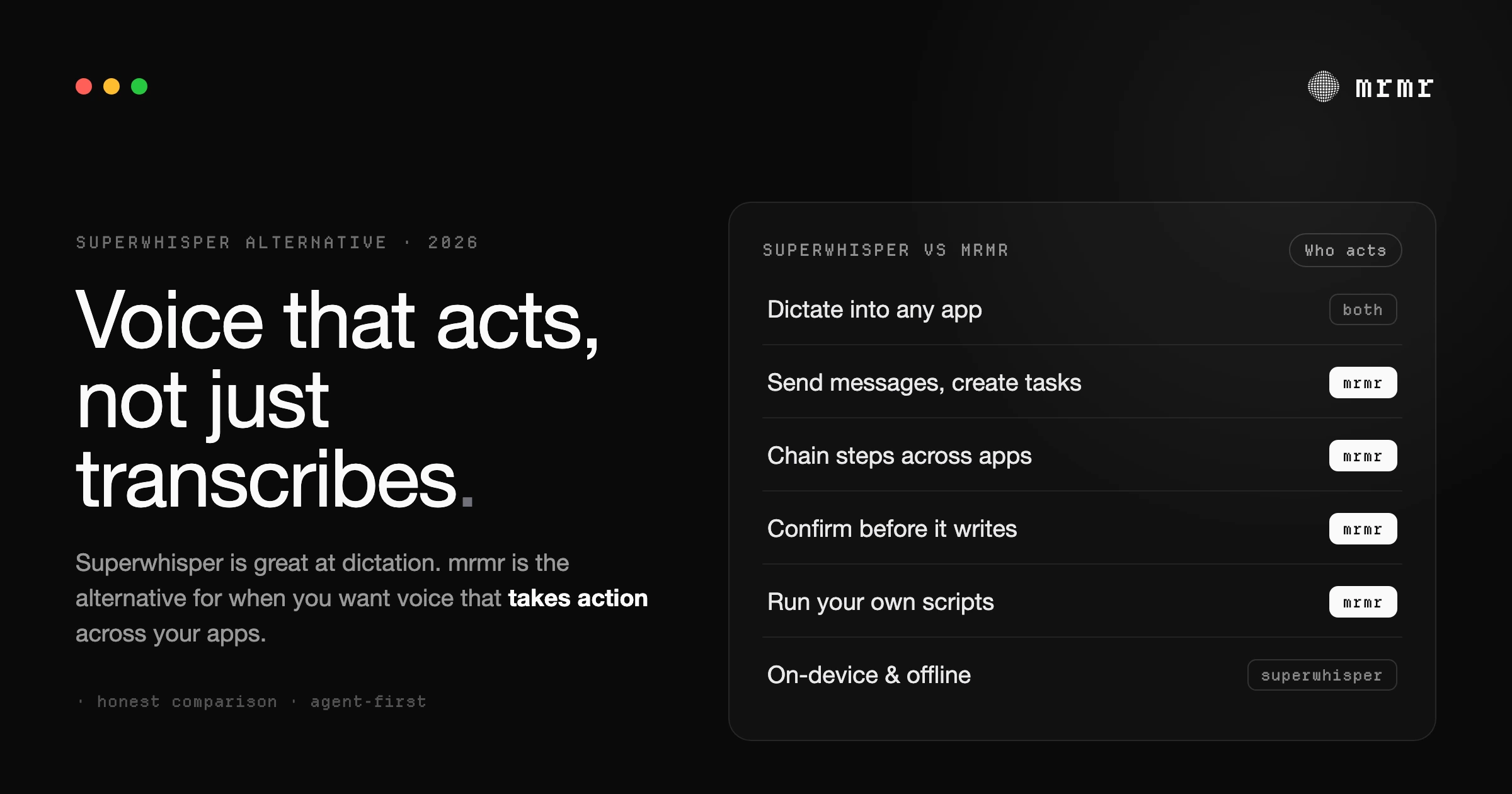
Most people who go looking for a Superwhisper alternative are not unhappy with Superwhisper. They have hit the edge of what dictation, any dictation, can do.
Superwhisper is very good. With its local models it transcribes on your Mac and works offline, and its modes can turn a rambling thought into a clean email or a formatted note. If your need is “turn my speech into good text,” it is one of the strongest picks on the platform, and this is not an article that pretends otherwise.
But there is a different need that looks the same at first and is not: you do not want better text, you want the thing the text was for. You did not want to dictate “create a ticket for the login bug and let the team know.” You wanted the ticket created and the team told. That is a different category of tool, and it is the one this article is about.
What Superwhisper is genuinely good at
Worth saying plainly, because the honest comparison is the useful one:
- On-device, offline transcription. Configured with its local models, Superwhisper transcribes on your Mac and keeps working offline, on a plane or behind a firewall (its local models run best on Apple Silicon). It also offers cloud models, and its AI rewriting modes send text to cloud LLMs, so fully local is a setup you choose. Chosen that way, it is a real, hard-to-beat privacy advantage.
- AI modes. Beyond raw transcription, its modes reshape what you said into a chosen format, an email, a summary, a commit message, using prompts you can customize.
- Focus. It does one job, dictation, and does it well, without asking you to rewire your workflow.
If that is the whole of what you need, Superwhisper is a fine place to stay. The rest of this only matters if you want voice to cross the line from text into action.
Where Superwhisper stops: text, not action
Every dictation tool, Superwhisper included, ends at the same place. The words land in a text field, and from there you are back to doing the work yourself: switching to Slack, finding the channel, pasting, sending. Opening Linear, filling the form, assigning it. The dictation was fast. Everything after it was the same manual sequence it always was.
That gap has a name. Turning speech into text is speech-to-text, and it is a solved problem. Turning speech into done is speech-to-action, and it is a different one. Superwhisper lives entirely on the first side of that line. A voice agent lives on the second.
What “takes action” actually means
With mrmr, you hold one shortcut and talk, and instead of leaving you a block of text, it does the thing:
“Create a Linear ticket for the checkout crash, post the link in the engineering channel, and add a follow-up to my calendar for tomorrow.”
mrmr creates the ticket through Linear’s real API, posts the link in the right Slack channel, and puts the event on your calendar, in one conversation. It resolves “the engineering channel” and the right project on its own, and before anything is sent or created it shows you exactly what it is about to do. Nothing writes without your confirmation.
That is the difference. Superwhisper would have given you a nicely formatted sentence describing the work. mrmr does the work.
mrmr vs Superwhisper, feature by feature
| Capability | Superwhisper | mrmr |
|---|---|---|
| On-device, offline transcription | ✓ (local model option) | ✗ (cloud) |
| Dictation into any app | ✓ | ✓ |
| Reformats dictated text | ✓ (AI modes) | ✓ (smart formatting) |
| Takes action in Slack, Linear, Gmail, Calendar | ✗ | ✓ |
| Chains multi-step workflows across apps | ✗ | ✓ |
| Confirms before it sends or changes anything | N/A | ✓ |
| Runs your own scripts by voice | ✗ | ✓ |
| Reaches on-Mac files, reminders, browser history | ✗ | ✓ |
| Delegates to background sub-agents | ✗ | ✓ |
| Talks back with spoken replies | ✗ | ✓ |
The two tools are not really competing on the same axis. Superwhisper wins the row that matters to it, local and private transcription. mrmr wins every row about acting on what you said.
Local and private vs cloud and connected
This is the honest trade, and it is worth being direct about it.
Superwhisper can be more private. Set to its local models, transcription happens on your machine and your audio never leaves it, with no connection required, and those offline models run best on Apple Silicon. It also ships cloud transcription models and AI modes that call cloud LLMs, so fully local is a configuration rather than a guarantee. But at its most private it beats mrmr on this axis outright, because mrmr is a cloud voice agent. If on-device is your hard requirement, that is the honest answer.
What mrmr buys with that cloud model is the thing Superwhisper cannot do: reach into your work apps and act. It keeps that trustworthy in a different way. It connects to apps through scoped OAuth you can revoke at any time, it never reads a password, and it shows a confirmation before every write, so the agent can read and prepare freely but nothing with consequences happens without an explicit yes. Different model, different guarantee: Superwhisper keeps everything on your Mac, mrmr keeps you in control of every action.
Can you use both? Yes
These tools do not cancel each other out. A common setup is to keep a local dictation app for private, offline typing and use mrmr for the moment voice needs to do something across your apps.
That said, mrmr also handles dictation itself, in around 60 languages, if you would rather not run two tools. It is just not the reason mrmr exists. The reason is the action layer that sits on top.
How to try the action side
If you want to see what voice-to-action feels like next to the dictation you already know:
- Install mrmr on macOS (private beta: join the private beta or book a setup call for fast-track access).
- Connect an app or two you live in, like Slack, Linear, or Google Calendar.
- Press the Agent Mode shortcut and ask for something that ends in an action, not just text: “message the design channel that the mocks are ready,” or “create a task to review the pull request.”
- Watch the confirmation, approve it, and see the thing actually happen.
Frequently asked questions
Is there a Superwhisper alternative that can take actions, not just transcribe? Yes. mrmr is a voice-first AI agent for Mac. Instead of stopping at text, it takes action across your apps: create a Linear ticket, post to Slack, add a calendar event, and chain those steps in one conversation, confirming before anything is sent or changed.
Does Superwhisper take action in your apps, or just dictate? Superwhisper is a dictation app. It turns your speech into text (which it can do on-device and offline) and can reformat that text with AI modes, but it produces text rather than taking action in Slack, Linear, Gmail, or your calendar. mrmr is built for that action layer.
Superwhisper vs mrmr: which is more private? Superwhisper can be more private: configured with its local models it transcribes on-device and works offline, so audio never leaves your Mac (it also offers cloud models and AI modes that use cloud LLMs). mrmr is a cloud voice agent, so it trades that for cross-app action, but it never writes anything without your confirmation and connects to apps through scoped, revocable OAuth.
Can Superwhisper send Slack messages or create tasks by voice? Not directly. Superwhisper can dictate the text of a message, but it does not send it or create tasks in your apps. mrmr sends messages, creates tasks and tickets, and manages your calendar by voice, showing a confirmation before each write.
Can I use Superwhisper and mrmr together? Yes. Many people keep a local dictation tool for private, offline typing and use mrmr for taking action across their work apps. mrmr also handles dictation in around 60 languages if you would rather use one tool, but its focus is doing, not typing.
Is mrmr available yet? mrmr is in private beta for macOS. You can join the private beta list or book a 20-minute setup call for fast-track access.
Try it
mrmr is a voice-first interface for Mac. If you have been using Superwhisper for dictation and keep wishing your voice could finish the job instead of handing you text, that is exactly the gap mrmr fills: a voice agent that takes confirmed action across Slack, Linear, Gmail, Calendar, your scripts, and your Mac. It is currently in private beta.
Join the private beta → Book a 20-minute setup call →
Related reading:
- Wispr Flow Alternatives for Mac (2026)
- Best AI Assistant for Mac (2026): 7 Voice Agents That Actually Take Action
- AI Agent for Mac: The Voice-First Assistant That Executes Across Your Apps (2026)
- Speech-to-Action: Voice on Your Mac Should Do More Than Type
- Best Dictation Apps for Mac (2026): 11 Compared + Our Top Pick

