Best AI Assistant for Mac (2026): 7 Voice Agents That Actually Take Action
Which Mac AI assistant actually does the work? 7 voice agents tested on sending messages, filing tickets, and moving meetings, with prices and catches.
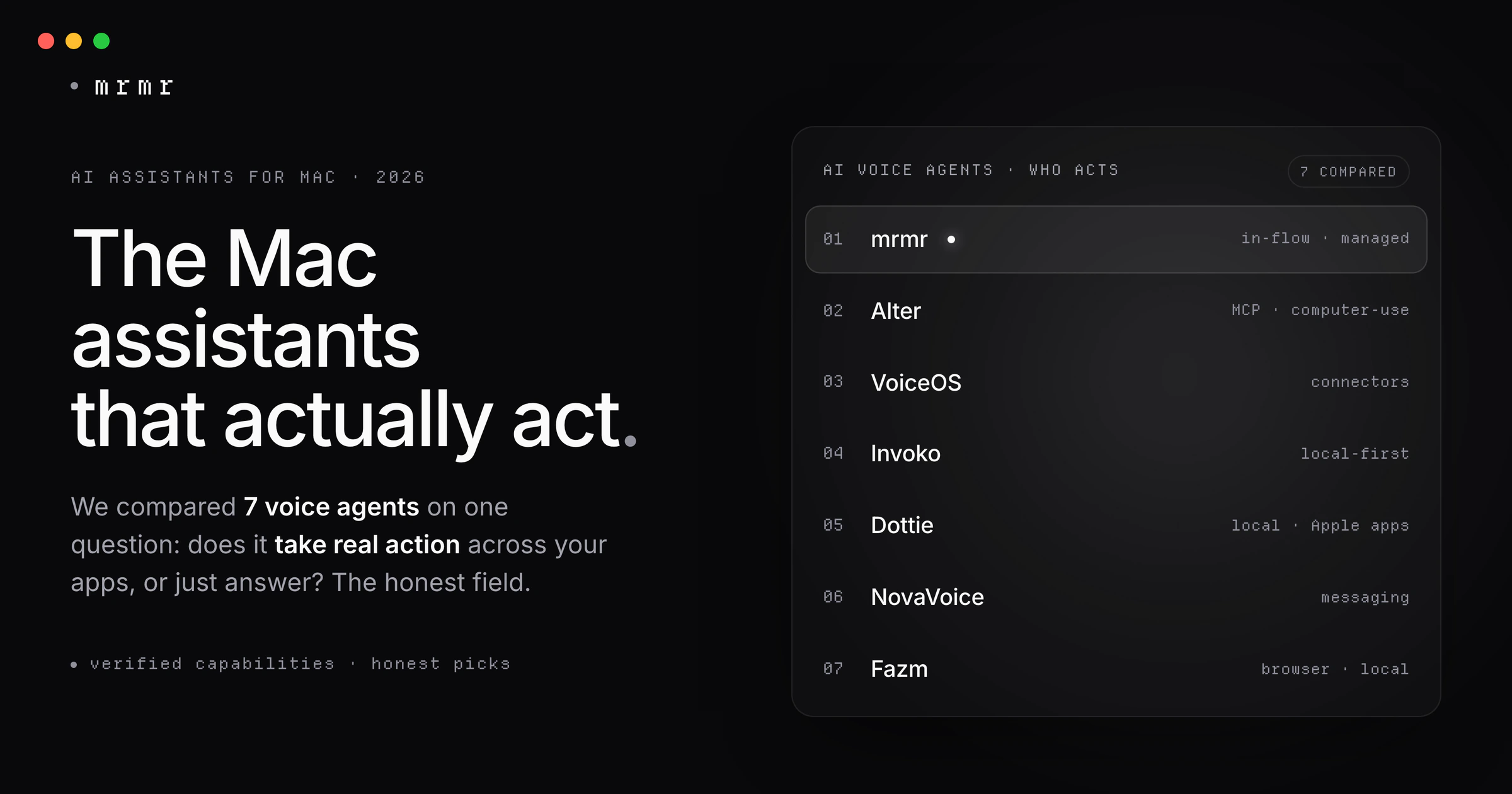
TL;DR: The interesting AI assistants on Mac in 2026 are no longer the ones that answer questions. They are the ones that take action: send the Slack message, create the Linear ticket, move the calendar event, all by voice. This guide compares seven voice agents that do that (mrmr, VoiceOS, Alter, Invoko, Dottie, NovaVoice, and Fazm; Invoko has since merged into Clico and is no longer sold on its own), with honest notes on how each acts, what it connects to, and where it wins. If you want the short version: pick by how you want it to reach your apps (managed connectors vs. screen control), how private it needs to be, and whether you want something focused or a kitchen sink.
For a decade, “AI assistant on a Mac” meant something that talked. You asked, it answered. Siri, then a wave of chatbots. Useful, but you still did all the actual work: the clicking, the typing, the switching between apps.
That changed in 2026. A category of tools now takes real action on your Mac by voice. You say “reply to that client email and add a kickoff to my calendar for Monday,” and it does both, across two apps, without you touching the keyboard. These are voice agents, and there are more of them than most people realize.
This is a comparison of the seven worth knowing, judged on one honest question: does it actually take action across your apps, driven by voice? Not dictation that types. Not a chatbot that drafts. Agents that do.
The 7 at a glance
| Tool | How it acts | Talks back (spoken) | Local inference | Price |
|---|---|---|---|---|
| mrmr | 12 OAuth connectors + your own scripts (reads the screen, never drives it) | Yes | No | Private beta |
| VoiceOS | Connectors (Slack, Gmail, Google, Notion) | Not documented | No | Pro $11.99/mo (annual); no free sign-up |
| Alter | MCP + connectors + computer-use | Not documented | Yes | Free / $29 yr Local+ / $240 yr Pro |
| Invoko | Merged into Clico (2026) | n/a | n/a | No longer sold standalone |
| Dottie | Computer-use of Apple apps (accessibility) | Yes | Yes | Free (MIT) / $20 mo Pro |
| NovaVoice | Connectors (Gmail, messaging, Todoist) | Not documented | No | Free / $10 mo |
| Fazm | Coding-agent CLIs + Chrome and accessibility control | Not documented | Not documented | Free (MIT); bring your own agent |
Talks back = speaks responses in a back-and-forth (listed only where the vendor documents it). Local inference = can run its AI models on your Mac; note that any connector action still needs the internet. Every capability below was verified from each product’s own site, docs, or llms.txt; where a vendor did not document something, we say so rather than guess. Pricing verified September 2026; several of these products ship more than one paid tier, and the free column is not always as generous as it looks.
What counts as an AI voice agent (and what doesn’t)
Three things have to be true, or it belongs in a different roundup:
- It’s driven by voice. You speak to it as the primary way in, not as an afterthought.
- It takes real action across apps. It sends, creates, schedules, or runs something. It does not just return text for you to act on.
- It’s more than dictation. Speaking text into a field, however polished, is dictation, not an agent.
That bar rules out a lot. Pure dictation tools like Wispr Flow and Superwhisper are excellent at turning speech into text, but their own docs confirm they do not take third-party app actions. Wispr Flow’s Command Mode, which its documentation describes as running text-editing commands and web searches, stays inside the screen and your browser. And the big chatbots (ChatGPT, Claude, Gemini) are a different animal entirely, covered at the end.
The 7 AI voice agents for Mac
1. mrmr — best for frictionless, in-flow action across your work apps
mrmr is a voice-first interface for Mac. Hold one key, speak, and its Agent Mode holds a continuous speech-to-speech conversation: it listens, talks back, asks when it needs to, and runs the right tools across your apps.
How it acts: through managed OAuth connectors to 12 apps (Slack, Linear, Google Calendar, Google Tasks, Google Meet, Zoom, Notion, Gmail, Cal.com, Calendly, Attio, and GitHub), plus Apple Reminders and files on your Mac, built-in web search, and your own saved scripts. It acts through real, authorized app APIs. It never drives your screen, never clicks or types in your apps. If you grant the optional Screen Recording permission, it can look at your frontmost window when you ask it something about what you are seeing (“what does this error mean?”), answer, and stop. That is reading, once, on request. It is not continuous screen watching and it is not screen control.
What stands out: it is the least fussy of the set. Connectors work over OAuth with no API keys to paste, no local models to run, and no enterprise seat to buy. Writes to your connected apps are shown to you for confirmation first (a few local Mac actions, like adding a reminder, run and then report back rather than asking, and deleting a list asks first). It is workspace-aware, so “#engineering” and “Sarah” resolve to the right channel and teammate automatically. And it runs your own scripts (import your Raycast Script Commands) with the output flowing back into the conversation.
Limitations, honestly: no computer-use, so it can only act where it has a connector or a script (it cannot reach an arbitrary app the way a screen-control agent can). Its screen context reads, it does not click, so it cannot operate an app it has no connector for even though it can see one. Screen captures go to a cloud vision model rather than an on-device one. It is not extensible with your own MCP servers. It requires an internet connection. And it is currently in private beta, with pricing still to be announced.
Best for: people who want to talk and get real work done across their main apps, in the flow, without setup and without handing over control of their desktop.
2. VoiceOS — best for a polished, paid voice-to-action product
VoiceOS (by WakoAI, a Y Combinator company) is a mature voice agent with Dictate, Edit, and Agent modes. Its Agent Mode understands intent and executes multi-step actions with a preview and confirmation step.
How it acts: through native connectors to web search, Slack, Gmail, Google Calendar, Notion, and Google Drive/Docs/Sheets. Recent releases added Outlook for Microsoft 365 mail and calendar, Apple Mail, and a Finder integration for finding, opening, and organizing files. It also reads what is on screen to draft context-aware responses. It does not do computer-use.
Limitations: connector set is narrower than the chatbots or Alter, and processing is cloud-based. There is no free sign-up: per its pricing page, “the free tier is not a sign-up option,” and its weekly limits (100 dictation sessions and 25 Agent Mode sessions) apply only after you cancel Pro. MCP support is not documented.
Best for: someone who wants a finished, supported, paid voice-to-action app centered on Google, Slack, and Notion. Pro is $11.99/mo billed annually, which works out to 60% less than paying monthly. If you want to evaluate voice-to-action at your own pace, this is the hardest one in the set to try, because the only way in is a timed trial. See our VoiceOS vs Wispr Flow comparison for the full picture on where the line between action and dictation actually sits.
3. Alter — best for power users who want everything
Alter has the widest reach of any tool in this set. It lives in your Mac’s notch and combines voice, screen context, and app actions.
How it acts: three ways at once. It supports MCP (remote MCP servers), native connectors (Apple apps plus Slack, Notion, GitHub, Linear, Airtable, Google Workspace, HubSpot, and a “2,000+ Tools” library on Pro), and a dedicated Computer Use module that inspects windows and interacts with UI elements. It reads active-app content for context and can run local models via Ollama or LM Studio.
Limitations: all that capability is also the cost. It is the most to configure, and getting the most out of it (the 2,000+ tools, local models, MCP servers) assumes you want to tinker. It is a power tool, not a focused one.
Best for: power users who want the kitchen sink (MCP + computer-use + local models) and enjoy setting it up. The free tier is genuinely free with no card, and it stays fully functional after the 7-day trial by connecting your own API keys or running local models. The catch is what “free” means: the 2,000+ remote tools, the model routers, and the premium voice models are Pro-only. Local+ is $29/year for local Whisper Pro and Parakeet V3; Pro is $240/year, and there is a $720 lifetime option.
4. Invoko — merged into Clico
Update, October 2026: Invoko is no longer offered as a standalone voice agent. Its site now redirects to Clico, an AI creative studio, and Clico’s note for Invoko users says “Invoko is now part of Clico.” We’ve kept the description below for reference only; we no longer recommend it as a voice agent.
Invoko was a hold-Fn-and-speak desktop agent with a strong local-first bent. Per its privacy policy at the time, your audio was streamed for transcription and then deleted, persistent data stayed primarily on your Mac, and only the relevant context for each request was routed through a cloud proxy to model providers.
How it acted: a hybrid. It had native connectors (Gmail, Notion, Calendar, Slack, GitHub) for “deeper actions,” and it could also move between apps via accessibility (computer-use), using the current app, window title, URL, selected text, and a screenshot when a task needs it. Longer tasks ran through a background agent.
5. Dottie — best for a private, local, Apple-apps agent
Dottie (an open-source project by Steve Derico) is the most private-by-default option here: it can run entirely on your Mac using on-device models, with no intermediary server and no telemetry, and it talks back with on-device speech and barge-in interruption. It also supports cloud providers (OpenAI, Anthropic, xAI, Cerebras) if you bring a key, so “fully local” is a choice you make, not a hard constraint.
How it acts: by driving your native Apple apps through the accessibility tree (click, fill, press, scroll) plus screen vision (screenshot, OCR, and a vision model). It has 134 tools across Mail, Messages, Calendar, Reminders, Contacts, Notes, Safari, Files, Photos, Music, and more.
Limitations, honestly: no third-party SaaS connectors. There is no Slack, Notion, Linear, or Google Workspace. If your work lives in those, Dottie is not your tool. It also requires Apple Silicon and macOS 15.4 or later, which is a higher floor than most Mac tools. And note the paid tier: the app and its MIT source are free, but Dottie Pro at $20/month is optional managed access to Grok, so keyless cloud use is not free.
Best for: people who live in Apple’s own apps and want a free, MIT-licensed agent they can run fully offline. The source went public in September 2026, and the local path needs no account and no keys.
6. NovaVoice — best for personal and messaging automation on a budget
NovaVoice is a low-cost voice agent that leans toward personal and messaging workflows.
How it acts: its Agent Mode takes “real actions” in apps such as Gmail, Google Calendar, Todoist, and WhatsApp, and its site says it never executes actions without your permission.
Limitations: its site doesn’t document how it reaches apps (connectors or screen control), MCP support, or where processing happens, so check those before trusting it with work accounts.
Best for: someone who wants messaging and personal-task automation (WhatsApp, Todoist, Gmail) at a low price. Free tier available; Standard is $10/mo, Team $8 per seat.
7. Fazm — best for developers who want a coding agent that can also drive the Mac
Fazm is an open-source (MIT) native Mac app that runs the Claude Code, Codex, and Gemini CLI agent loops, with push-to-talk voice input (hold Left Control, talk, release).
How it acts: through the coding agent you plug in, plus reach beyond the terminal: it drives Chrome through an extension and can operate Mac apps such as Finder, Mail, Slack, and Settings through the accessibility APIs.
Limitations: it is a developer tool, not a consumer voice assistant: you bring your own Claude, OpenAI, or Gemini agent and its subscription or keys, and voice is push-to-talk input rather than a spoken conversation.
Best for: developers already living in Claude Code or Codex who want persistent sessions and an agent that can reach the browser and Mac apps by voice.
Two ways an agent reaches your apps
The single most useful thing to understand before you choose: there are two fundamentally different ways these agents act, and it determines their reliability, privacy, and reach.
Managed connectors (real APIs). The agent talks to each app through its official API. Say “message engineering that the deploy is done,” and it calls Slack directly. This is fast, structured, and reliable, and nothing about it involves your screen. The trade-off is reach: it can only touch apps it has a connector for. This is how mrmr, VoiceOS, and NovaVoice work.
Computer-use (driving the screen). The agent operates your Mac the way a person would, reading the screen and clicking and typing through the accessibility tree or vision. The upside is reach: in principle it can operate any app, even one with no API. The downside is that driving a UI is slower and more brittle (a moved button breaks a run), and it means handing an agent the ability to watch and control your screen. Alter, Dottie, and Fazm can do this; dedicated computer-use agents (below) are built entirely around it.
There is a third thing worth separating out, because the word “screen” gets used for both: reading the screen is not controlling it. An agent can look at your frontmost window to answer a question (“read me the total on this invoice”) without ever clicking a button. mrmr does this, behind an optional permission, and still acts only through connectors and scripts. Alter, Dottie, and Fazm read the screen in order to drive it. The privacy question (“can it see my screen?”) and the reliability question (“does it act by pretending to be my cursor?”) have different answers, and conflating them will steer you wrong.
Neither approach is strictly better. Managed connectors are steadier for the repeated work most people do all day; computer-use is broader when you need to reach something without an API.
mrmr vs Alter: which gives you more control over local workflows?
It depends on which kind of control you mean, and the two tools answer differently.
Alter gives you more reach. With MCP servers, a Computer Use module, and local models, Alter can touch more of your Mac than mrmr can, including apps that have no API. The price is setup: you choose the models, wire up the servers, and tune it.
mrmr gives you more control over what actually runs. mrmr runs your own local scripts by voice: write your own, or import your Raycast Script Commands (an imported script stays inactive until you have read its source and trusted it). Agent Mode fills a script’s arguments from what you say and pipes its output back into the conversation, and every run is logged. Every write to a connected app (a Slack message, a Linear ticket, a calendar change) is shown to you before it runs, and mrmr never takes over your screen or cursor to get there. There are no models to host and no API keys to paste.
So: choose Alter if control means capability (reach any app, run local models, extend it with MCP). Choose mrmr if control means predictability (your scripts, your approval on every write to your apps, no agent driving your desktop) with no setup.
Adjacent tools worth knowing
Not voice-first agents that act, but they come up in the same search:
- Meeting and follow-up assistant: Highlight AI connects to work tools (Gmail, Slack, Google Docs, GitHub, Notion, Linear, and more), captures meeting context, drafts follow-ups, and requires your approval before any action. It isn’t built around a spoken conversation, so it sits outside the voice-agent set.
- Computer-use agents (no voice): Simular (“Sai”) is an autonomous agent that operates your GUI and browser, invite-only and priced $20 to $500/mo. Manus (“My Computer”) runs CLI and browser actions locally with MCP connectors. These reach anything on screen, but they are not voice conversations.
- Launcher: Raycast AI is a Spotlight-replacement launcher whose AI Extensions call real tools (Linear, GitHub, Notion, Slack, Finder) and which supports MCP. Voice is dictation-only. Great if you live in a launcher; not a voice agent.
- Built in: Apple’s rebuilt Siri AI began rolling out in beta with macOS 27 in September 2026 (English first, via a gradual waitlist). It has onscreen awareness and personal context, chains steps across Apple’s own apps, and takes actions in third-party apps that integrate with it, such as WhatsApp and Audible. Apple’s examples are consumer apps; how far it reaches into work tools like Slack or Linear depends on each developer integrating with it.
- Dictation baseline: Wispr Flow and Superwhisper are top-tier voice-to-text, but by their own docs they do not take app actions. Wispr Flow’s Command Mode is the closest thing to an exception and it is worth knowing about: per its help center it edits text already on screen and opens web searches in your browser, so it is a command palette over dictation rather than an agent. If you only want fast, clean dictation, start there, or see our Wispr Flow alternatives guide.
What about ChatGPT, Claude, Gemini, and Perplexity?
Fair question, and the honest answer is that they now take action too. Claude has MCP connectors to 200+ apps plus Cowork and a Chrome agent. ChatGPT has connectors, a computer-use Agent, and the Atlas browser. Perplexity’s “Personal Computer” operates native Mac apps. Gemini has Agent Mode and Project Mariner. So the old line that “chatbots only chat” is simply out of date.
They are not in this ranking because they answer a different question. A chatbot is a destination you go to: you open the app, type or start a voice session inside it, and it is a general-purpose reasoning tool that happens to have connectors. A voice agent is ambient: one hotkey summons it over whatever you are already doing, and its whole reason to exist is taking action in your flow. Most people end up using both, a chatbot to reason and draft, a voice agent to act.
Worth knowing too: the chatbots’ most powerful agentic features are gated. Claude’s computer use is a research preview on macOS limited to Pro and Max plans; ChatGPT’s full MCP support with write actions lives in a beta developer mode on the web for Plus, Pro, Business, Enterprise, and Edu accounts; Gemini Agent is for Google AI Ultra subscribers; and Perplexity’s Personal Computer runs on its Pro and Max plans. Reachable capability, not just raw capability, is part of the comparison.
How to choose
- You want the least friction, across your work apps: mrmr. Managed connectors, no setup, and writes to your apps are confirmed before they run.
- You want the most reach and will configure it: Alter. MCP, computer-use, local models, 2,000+ tools.
- You want to run your own local scripts by voice, with every write to your apps approved first: mrmr.
- You want privacy and live in Apple’s apps: Dottie. Can run fully local, MIT open source, free, no account needed.
- You want a finished, supported paid product for Google/Slack/Notion: VoiceOS.
- You want cheap messaging and personal automation: NovaVoice.
- You’re a developer who wants Claude Code or Codex with voice, browser, and Mac control: Fazm.
Frequently asked questions
What is the best AI assistant for Mac in 2026? It depends on what you mean by assistant. If you want one that takes real action by voice, the strongest options are mrmr (frictionless, managed connectors, your own local scripts, confirm-before-write), Alter (widest reach, most to configure), and Dottie (most private, Apple apps only). If you only want dictation, a tool like Wispr Flow is a better fit. If you want a general reasoning chatbot, ChatGPT or Claude.
What is an AI voice agent? An AI voice agent is software you speak to that takes real action across your apps (sending a message, creating a ticket, scheduling an event) rather than only answering or typing. It differs from dictation, which only turns speech into text, and from a general chatbot, which you go to in its own window rather than summon over your work (many chatbots now add connectors too, but acting in your flow is not their core job).
Which AI assistants for Mac actually take action, not just answer? Among voice agents: mrmr, VoiceOS, Alter, Dottie, NovaVoice, and Fazm all take real actions (Invoko has merged into Clico). Among chatbots, Claude, ChatGPT, Perplexity, and Gemini now also act via connectors and computer-use, though the strongest features are often behind paid or enterprise tiers.
Can Siri take actions across third-party apps on Mac? Partly, as of September 2026. Siri AI, rolling out in beta with macOS 27 (English first), can take actions in third-party apps that integrate with it, such as WhatsApp and Audible, and chain steps across Apple’s own apps like Messages, Mail, and Reminders. Its reach into work tools such as Slack, Linear, or Notion depends on each developer integrating with it.
What is the difference between connectors and computer-use? Connectors call an app’s real API, which is fast, reliable, and does not watch your screen, but only reaches apps that have a connector. Computer-use drives the screen like a human, which can reach almost any app but is slower, more brittle, and requires giving the agent control of your screen.
Are any of these AI voice agents free? Yes, with one important qualification: “free” in this category usually means free if you bring your own model key. Dottie and Fazm are free and open source (MIT), and Dottie’s local path needs no account at all (Fazm needs your own coding-agent subscription or keys). NovaVoice has a limited free tier. Alter’s free tier is real and stays fully functional after its trial ends, but the 2,000+ remote tools and premium voice models are paid. VoiceOS is the one exception: its pricing page states that “the free tier is not a sign-up option,” so you start on Pro and the weekly limits apply only after you cancel. mrmr is in private beta.
Do these agents act without asking me? It varies by tool. mrmr confirms writes to your connected apps before they run (though a few local Mac actions, like adding a reminder, run and then report back); Dottie confirms destructive actions; others differ. If a confirmation step matters to you, check each tool’s default before trusting it with your accounts.
Try mrmr
mrmr is a voice-first AI agent for Mac, currently in private beta. Hold one key and talk: it listens, talks back, and takes confirmed action across Slack, Linear, Google Calendar, Gmail, Notion, and more, plus your own scripts and your Mac.
Join the waitlist or Book a 20-minute demo
Sources
- VoiceOS, Pricing (accessed October 2026). Pro at $11.99/month billed annually; “the free tier is not a sign-up option”; 100 dictation and 25 Agent Mode sessions a week after cancelling Pro.
- Alter, Pricing (accessed October 2026). Free tier with your own API keys or local models; Local+ at $29/year; Pro at $240/year; $720 lifetime.
- Clico, Invoko Is Now Part of Clico (accessed October 2026). Invoko’s merger into Clico.
- Steve Derico, dottie-desktop-releases (GitHub, accessed October 2026). Dottie Desktop’s MIT-licensed releases and its voice control of the Mac.
- Dottie, Dottie (accessed October 2026). Product site: local (MLX / Ollama), bring-your-own-key, or Dottie Pro at $20/month. The site blocks automated checks but opens in a browser.
- NovaVoice, NovaVoice (accessed October 2026). Free tier, Standard at $10/month, Team at $8 per seat; Agent Mode actions in apps such as Gmail, Todoist, WhatsApp, and Calendar, run only with your permission.
- Fazm, Fazm (accessed October 2026). A native Mac app running the Claude Code, Codex, and Gemini CLI agent loops, with push-to-talk voice, Chrome control through an extension, and Mac app control through accessibility; MIT-licensed.
- Highlight AI, Highlight AI (accessed October 2026). Connects to Gmail, Slack, Google Docs, GitHub, Notion, Linear, and more; requires approval before any action.
- Simular, Simular (accessed October 2026). Autonomous computer-use agent.
- Raycast, Raycast (accessed October 2026). Launcher with AI Extensions.
- Apple, Siri AI, a profoundly more capable and personal assistant, is here (September 14, 2026). Siri AI’s beta rollout with macOS 27, onscreen awareness, multi-step actions, actions in third-party apps such as WhatsApp and Audible, and the M3 / 12GB requirement for more advanced dictation.
- 9to5Mac, Five ways that the new Siri AI is frustrating iPhone and Apple Watch users (September 20, 2026). Siri AI’s gradual waitlist rollout, still labeled beta.
- Anthropic, Let Claude use your computer from the CLI (Claude Code Docs, accessed October 2026). Computer use is a macOS research preview on Pro and Max plans.
- InfoQ, OpenAI Adds Full MCP Support to ChatGPT Developer Mode (October 2025). Full MCP support with write actions in a beta developer mode for Plus, Pro, Business, Enterprise, and Education accounts on the web.
- Google, Gemini 3: Introducing the latest Gemini AI model from Google (The Keyword, accessed October 2026). Gemini Agent’s availability to Google AI Ultra subscribers.
- 9to5Mac, Perplexity AI app introduces ‘all-new native Mac experience’ for Personal Computer (May 7, 2026). Personal Computer on Mac for Pro and Max subscribers.
- Wispr Flow Help Center, How to use Command Mode (accessed October 2026). Command Mode edits text on screen and opens web searches; it needs a paid plan.
- Superwhisper, Superwhisper (accessed October 2026). Works offline with local models (best on Apple silicon); macOS, Windows, iOS, and Android; free tier with 3,000 words of Pro features.
Related reading:
- Every AI Assistant That Can Act on Your Mac (2026)
- AI Agent for Mac: The Voice-First Assistant That Executes Across Your Apps (2026)
- Speech-to-Action (Voice-to-Action): Voice on Your Mac Should Do More Than Type
- What Is a Voice-First Interface? (And Why It’s Not a Voice Assistant)
- Best Dictation Apps for Mac (2026): 11 Compared (Free + Paid)
- Voice Commands on Mac: 20+ Hands-Free Shortcuts for 2026

