Speech-to-Action (Voice-to-Action): Voice on Your Mac Should Do More Than Type
Speech-to-action, also called voice-to-action, turns natural language voice commands into executed workflows across Slack, Linear, Google Calendar, and more, not just text. Here's what it means on Mac.
TL;DR: Speech-to-text is a solved problem. The unsolved problem is speech-to-action (also called voice-to-action): taking a natural language voice command and executing it across multiple apps. Two shifts made this viable: transcription latency dropped below two seconds, and LLMs can now parse messy speech into structured intents. mrmr is a voice-first interface for Mac that does exactly this: dictate, search, and execute actions across Slack, Linear, Google Calendar, Google Meet, and Zoom from a single voice command.
You’ve tried Mac dictation. You held down the microphone key, spoke a sentence, watched it fumble half the words, and went back to typing. Maybe you tried Siri, asked it to send a message, got a “sorry, I can’t do that in this app,” and never tried again.
Most people’s relationship with voice on their computer ends there. And it’s not because voice input is a bad idea. It’s because the voice tools built into macOS stop short of your work apps: dictation types, Voice Control operates what’s on screen, and Siri acts only in apps that have integrated with it.
That’s the ceiling. Speak, get text. Speak, get text. The entire model treats your voice as a slower, less accurate keyboard.
But your keyboard doesn’t just type. It opens apps, triggers shortcuts, switches windows, navigates menus. It’s a control layer for your entire machine. Voice should be the same: not a replacement for your keyboard, but a parallel interface that can do things across your tools.
That’s the difference between speech-to-text and speech-to-action.
Speech-to-action, also called voice-to-action, is software that turns a spoken instruction directly into completed actions across your apps and tools, not just text on a screen. You say what you want, it parses the intent, and it executes the steps after you confirm. (The short version lives in our glossary: what is voice-to-action?)
mrmr is one example. Press fn + shift on a Mac, say “file a high-priority Linear bug for the login timeout and tell #engineering,” and mrmr creates the ticket and posts the message, showing you each write for approval before it runs. A dictation app given the same sentence would only type it into whatever field your cursor was in.
The gap nobody’s closed
Speech-to-text is, for most practical purposes, a solved problem. Whisper, Deepgram, AssemblyAI: modern transcription engines are fast and accurate enough that latency and error rates are no longer the bottleneck. The problem isn’t getting words out of your mouth and onto the screen. The problem is that once the words are on the screen, you still have to do everything yourself.
Say you’re wrapping up a code review and want to flag a bug. Today, that means: open Linear, click new issue, type the title, set priority, assign it, copy the link, switch to Slack, find the channel, paste the link, type a message, send. That’s eight context switches for a task that took three seconds to say out loud.
The missing layer isn’t transcription. It’s intent parsing and execution: taking a natural language command, figuring out what you meant, identifying which apps are involved, and actually doing the thing. Not suggesting it. Not drafting it. Doing it.
What this looks like in practice
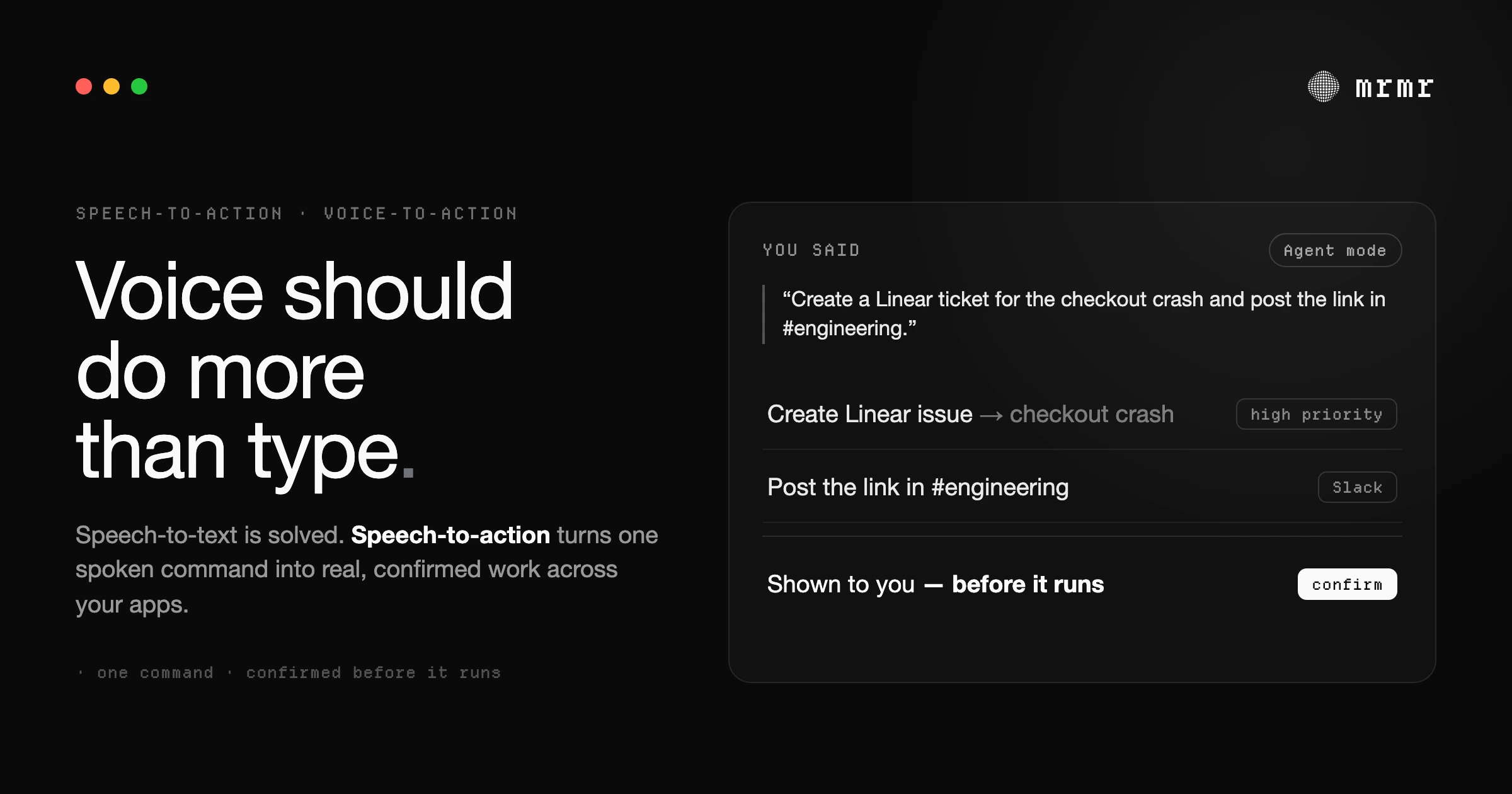
Here’s a real example. You press fn + shift and say:
“Create a high-priority Linear ticket for the authentication timeout bug, then message the engineering channel in Slack with the ticket link.”
What happens:
Your voice gets transcribed. The system parses two distinct actions: create a Linear issue, send a Slack message. It knows “engineering channel” refers to #engineering in your workspace because it has context about your actual Slack channels and teammates. It structures both actions, shows you exactly what it’s about to do (title, priority, channel, message text), and waits.
You review. You confirm. Both actions execute. The Slack message includes the real Linear ticket link because the second action chained off the output of the first.
Total time: maybe six seconds, including the confirmation step. No window switching. No mouse. No typing.
This is what mrmr does in Agent Mode. It’s not a concept or a roadmap; it’s live, working across Slack, Linear, Google Calendar, Google Tasks, Google Meet, Zoom, Notion, Gmail, Cal.com, Calendly, Attio, and Apple Reminders today.
Why this didn’t work before
Siri launched in 2011. Alexa in 2014. Google Assistant in 2016. Voice assistants have been around for over a decade, and none of them became the way people get real work done. Why?
Two things were missing.
First, transcription was too slow and too wrong. If you have to wait three seconds and then correct two words, you’re slower than typing. Modern transcription engines like Whisper brought latency under two seconds and accuracy above 95% for conversational speech. That crossed the threshold where voice actually feels instant.
Second, and this is the bigger one, parsing natural language into structured actions was fragile. Old-school NLU required rigid command syntax. “Set a timer for five minutes” worked. “Remind me to check on the deployment after lunch” didn’t. The system couldn’t handle ambiguity, so you had to learn its language instead of it learning yours.
LLMs changed that. You can now take messy, natural speech (half-formed sentences, vague references, chained requests) and reliably extract structured intents from it. “Message Sarah that the PR is ready and create a ticket for the follow-up” is parseable now in a way it simply wasn’t three years ago.
These two shifts, fast transcription and flexible intent parsing, are what make speech-to-action viable. Not perfect. But viable enough that it’s faster than the alternative for a growing set of tasks.
What changes when voice becomes a control layer
If voice reliably executes actions across your tools, something fundamental shifts in how you interact with software. Your apps stop being places you go and start being services that run in the background.
Right now, using Slack means opening Slack. Using Linear means opening Linear. Your attention follows your apps. With a voice execution layer, your attention stays on your work. The apps are still there; they’re just not in your way.
This isn’t about replacing GUIs. Complex tasks still need visual interfaces. You’re not going to refactor a codebase by voice or design a slide deck by talking. But a huge portion of daily knowledge work (messages, tickets, calendar events, status updates, quick searches) is fundamentally simple. It’s just scattered across six different apps that each demand your full attention to do one small thing.
Voice-as-control-layer collapses that friction. One command, multiple apps, no switching.
The longer-term picture is even more interesting. If a voice interface has context about your tools, your teammates, and your patterns, it stops being a command executor and starts being a personal composer: anticipating what you need, chaining actions you haven’t asked for yet, and adapting to how you actually work rather than how software designers assumed you’d work.
We’re not there yet. But the foundation is being built now, and it starts with proving that voice can reliably do more than type.
Frequently asked questions
What is speech-to-action? Speech-to-action is software that turns a spoken instruction directly into completed actions across your apps, not just text. You say what you want, it parses the intent, shows you what it will do, and executes it after you confirm. It is also called voice-to-action.
Is speech-to-action the same as voice-to-action? Yes. “Speech-to-action” and “voice-to-action” are two names for the same idea: turning a spoken instruction into executed actions across your apps, rather than into text. mrmr uses both terms interchangeably.
What is voice-to-action and how is it different from dictation?
Voice-to-action is software that turns a spoken instruction into completed actions across your apps, while dictation only turns speech into text in the field your cursor is in. Say “move my 2pm to Thursday and let Sarah know in Slack” to a dictation app and you get that sentence typed out; say it to a voice-to-action tool like mrmr and the event moves and the message is sent, each shown to you for confirmation first. mrmr does both on a Mac: hold fn to dictate, press fn + shift to act.
How is speech-to-action different from speech-to-text? Speech-to-text (dictation) converts your speech into text in a field. Speech-to-action goes further and executes real actions across your apps, like creating a ticket or sending a message. Dictation is a faster keyboard; speech-to-action is a control layer.
How is speech-to-action different from Siri? Siri AI, rolling out in beta with macOS 27, can chain steps across Apple’s own apps and act in third-party apps that integrate with it, such as WhatsApp. Speech-to-action tools like mrmr are built around work apps: one spoken command creates the Linear ticket, sends the Slack message, and schedules the calendar event through each app’s API, with every write confirmed first.
Does it act without asking me? Not for anything consequential. Reads and searches happen freely, and anything that writes to a connected app (sending a message, creating a ticket, moving an event) is shown to you for confirmation first. A few low-risk local actions, like pasting into the app you’re in or adding an Apple Reminder, run and then report back; deleting a whole reminders list asks first.
Which apps does mrmr work with? Today: Slack, Linear, Google Calendar, Google Tasks, Google Meet, Zoom, Notion, Gmail, Cal.com, Calendly, Attio, Apple Reminders, and GitHub, with HubSpot, Jira, Microsoft Teams, and Microsoft Outlook on the roadmap. It also searches the web with sources, works with files and reminders on your Mac, and runs your own scripts.
Try it
mrmr is in private beta for macOS. If you want to see Agent Mode firsthand, book a demo call or join the waitlist.
Join the waitlist or Book a 20-minute demo
Sources
- Apple, Siri AI, a profoundly more capable and personal assistant, is here (September 14, 2026). Siri AI’s beta rollout with macOS 27, onscreen awareness, multi-step actions, actions in third-party apps such as WhatsApp and Audible, and the M3 / 12GB requirement for more advanced dictation.
Related reading:
- AI Agent for Mac: The Voice-First Assistant That Executes Across Your Apps (2026)
- 15 Things a Voice Agent Can Do That Dictation Can’t
- Voice Commands on Mac: 20+ Hands-Free Shortcuts for 2026
- Best Dictation Apps for Mac (2026): 10 Compared (Free + Paid)
- What Is a Voice-First Interface? (And Why It’s Not a Voice Assistant)
- Voice Commands for Slack: The Complete Guide for Mac Users (2026)

