What Is a Voice-First Interface? (And Why It's Not a Voice Assistant)
Voice-first technology means voice runs the work, not just the typing. A plain definition, real examples, and how it differs from Siri and dictation.
TL;DR: A voice-first interface is software where voice is the primary control layer for executing actions across applications, not just typing or answering questions. It’s a distinct category from voice assistants (Siri, Alexa), dictation tools (Wispr Flow, macOS dictation), and voice chatbots. The core bet: the fundamental unit of work is shifting from the click to the uttered intent. mrmr is a voice-first interface for Mac that does this today across Slack, Linear, Google Calendar, Google Meet, Zoom, and more.
What is a voice-first interface?
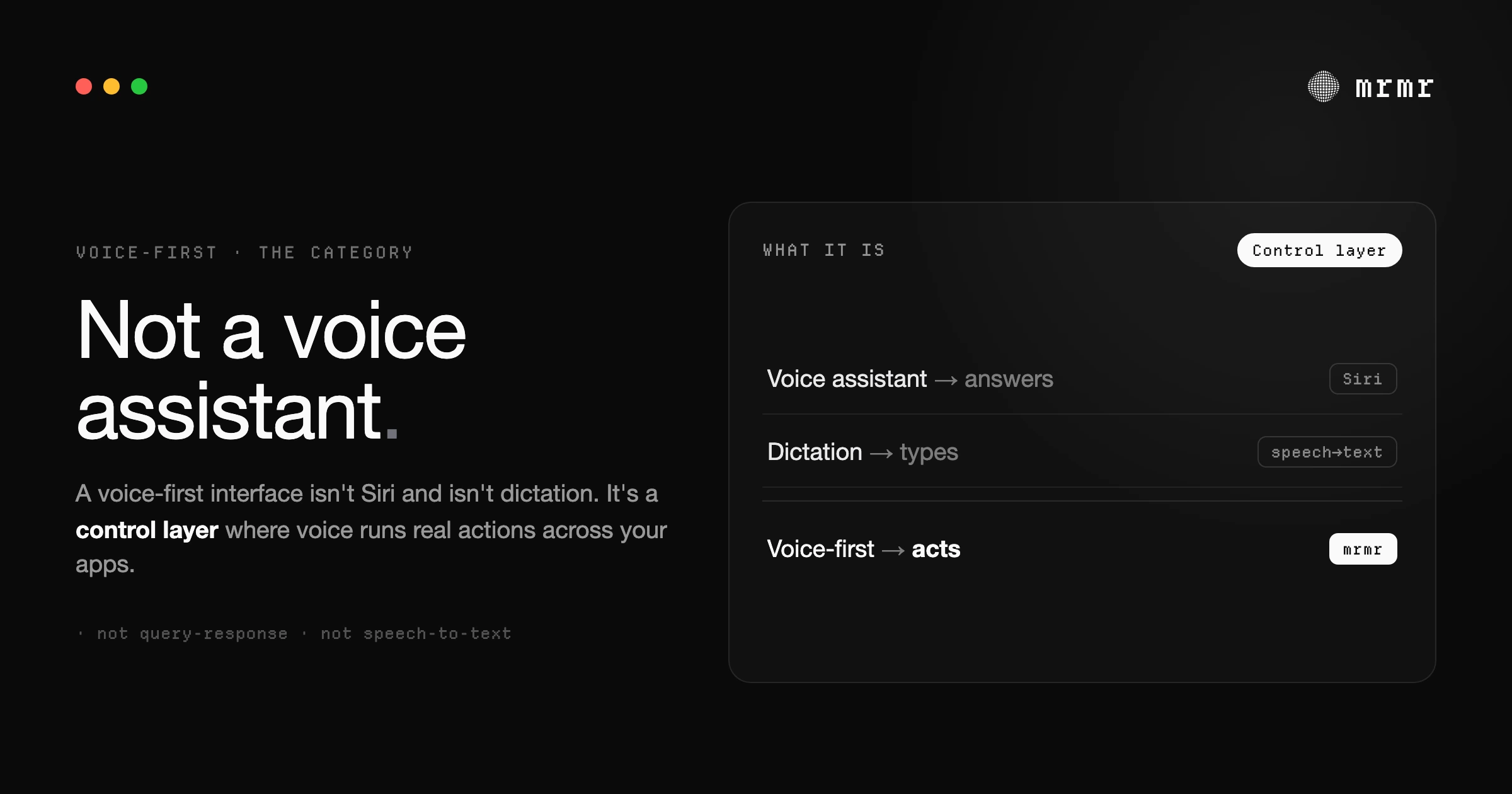
A voice-first interface is software where voice is the primary way you control your computer — parsing what you say into structured actions, showing them to you for confirmation, and executing them across your apps. Unlike a voice assistant or a dictation tool, it treats speech as a full control layer, not just a way to type.
For 40 years, the fundamental unit of work on a computer has been the click. Or the keypress. You click a button, press a shortcut, tab to a field, type, submit. Every task, no matter how simple, is a sequence of small physical interactions between you and a UI.
That unit of work is changing. The next one isn’t a click. It’s an uttered intent.
“Reply to the client’s email and add a follow-up to my calendar.” That sentence, spoken out loud, replaces dozens of clicks across two applications. Not because the apps went away, but because a layer appeared between you and them that translates what you said into what they need.
That layer is a voice-first interface. The capability at its core is voice-to-action: a spoken instruction that ends in completed work in your apps, not text at your cursor.
What “voice first” means
The phrase turns up in a few spellings — voice first, voice-first, and the compound voicefirst — and across a few different conversations, so it’s worth pinning down before going further.
At its broadest, “voice first” describes any product or design philosophy where voice is the primary way you interact, not a feature bolted onto a screen-first product. Designers use voice-first design to mean experiences built around speaking and listening from the first wireframe. Product teams describe voice-first apps and voice-first technology as software where the voice path is the main path — the thing the product is organized around — rather than an accessibility afterthought or a dictation shortcut.
A voice-first interface is the specific shape that idea takes on a work computer. It’s voice-first not because it can hear you, but because speaking is the intended way to drive it: the keyboard and mouse become the secondary inputs, and voice becomes the primary control layer for executing actions across your applications. That’s the sense this article uses throughout, and it’s a narrower, more concrete claim than “voice first” in general.
What a voice-first interface is not
The term sounds like it could mean a lot of things. It doesn’t. There are three categories of voice software that a voice-first interface is explicitly not.
Not a voice assistant
Siri, Alexa, and Google Assistant began as query-response systems. You ask a question, you get an answer. They can set timers, check the weather, and play music. Siri AI, rolling out in beta with macOS 27, goes further: it can chain steps across Apple’s apps and act in third-party apps whose developers have integrated with it. What it doesn’t do is execute structured workflows across the work tools you connect: unless Slack, Linear, and Google build Siri integrations, you can’t tell Siri to create a Linear ticket, message a Slack channel, and block time on Google Calendar, all in one command. Voice assistants were built for consumers asking simple questions, not for knowledge workers executing multi-app workflows.
Not a dictation tool
Wispr Flow, Willow, macOS dictation: these convert speech to text. That’s useful, and it’s one function a voice-first interface includes. But it’s not the defining one. Calling a voice-first interface a “dictation tool” is like calling a keyboard “a typing device.” A keyboard opens apps, triggers shortcuts, navigates menus, and switches windows. It’s a control layer. Voice should be the same.
Not a voice chatbot
Some voice tools route your speech into a conversational AI. You say something, the chatbot asks a clarifying question, you respond, it asks another, and eventually something happens. That’s a negotiation, not execution. A voice-first interface doesn’t negotiate. It parses your intent, shows you what it understood, and executes with your confirmation, not after a back-and-forth.
How the categories compare
| Voice assistant | Dictation tool | Voice chatbot | Voice-first interface | |
|---|---|---|---|---|
| Primary purpose | Answer queries, control system | Convert speech to text | Conversational back-and-forth | Execute actions across apps |
| Cross-app actions | ✗ | ✗ | Limited | ✓ |
| Intent parsing | Rigid command syntax | N/A | Conversational | Natural language |
| Confirmation step | N/A | N/A | Negotiated turn-by-turn | Explicit before execute |
| Trigger pattern | Wake-word | Hold-to-talk or shortcut | Wake-word or session | Hold-to-talk |
| Example | Siri, Alexa | Wispr Flow, macOS Dictation | Voice-mode ChatGPT | mrmr |
| When to use it | Quick info or simple system tasks | Writing, transcribing, taking notes | Open-ended exploration | Multi-step work across your apps |
The table makes the boundaries clear, but the boundaries themselves are what matter. Each of these categories solves a real problem. None of them solve the same one.
What defines a voice-first interface
Three things separate a voice-first interface from everything above.
Voice as a control layer, not just an input method. Your voice doesn’t just produce text; it triggers actions across applications. Send a Slack message, create a ticket, start a meeting, schedule an event. The interface treats your voice the way your operating system treats your keyboard: as a way to control your entire workflow, not just fill in text fields.
Intent parsing, not command matching. You speak naturally. The system figures out what you meant, which apps are involved, and what structured actions to take. “Message Sarah that the PR is ready and create a follow-up ticket” is two actions across two apps, expressed in one messy sentence. A voice-first interface handles the ambiguity. You don’t learn its syntax; it learns yours.
Execution with confirmation. This is what separates a voice-first interface from a black-box assistant. The system acts on your behalf, but nothing runs without your explicit approval. You see exactly what it’s about to do (the channel, the message, the ticket title, the calendar event) and you confirm, edit, or cancel. The confirmation step is not a limitation. It’s the design.
Design principles of a voice-first interface
Beyond the three defining traits, voice-first interfaces share a set of design principles that distinguish them from earlier voice software. These aren’t features. They’re commitments about how the system should behave.
Confirmation before action. A voice-first interface treats execution as a separate step from intent parsing. You speak, the system shows you what it understood as a structured action, and you approve before anything runs. This protects against AI misinterpretation and gives you a chance to edit. Skipping this step turns a voice-first interface into a black-box assistant, which is exactly what people don’t want managing their work tools.
Intent parsing over command syntax. The user shouldn’t have to memorize phrasings or learn a command grammar. Whether you say “ping Sarah about the PR,” “tell Sarah the PR is ready,” or “DM Sarah that the pull request is up for review,” the system should arrive at the same parsed action. The cognitive load of learning syntax is what killed every voice assistant before this generation. The design principle is that the AI absorbs the ambiguity, not the user.
Chained actions in a single utterance. A voice-first interface should let you express multi-step intent in one breath. “Create a ticket and message the team about it” is a single thought; it should be a single command. The system parses both actions, identifies the dependency between them (the message needs the ticket link), and shows both for confirmation together. Splitting this into two separate commands defeats the purpose.
Stateless invocation. No wake-word ceremony. No “Hey, mrmr.” You hold a key, you speak, you release. There’s no session to maintain, no context to set up, no awkward addressing of a digital entity. Hold-to-talk treats voice the way push-to-talk radios treated voice for decades: as an explicit, scoped, intentional input. It also makes voice usable in shared environments where saying a wake-word out loud is socially awkward.
Visible reasoning. Show the user what was understood, in their own words. The confirmation card doesn’t display “create_issue(team_id: ‘eng’, priority: 1, title: ‘auth timeout’)”; it displays the human-readable version: “Create a high-priority issue in Engineering: ‘Authentication timeout bug.’” If the system misunderstood, the user can spot it in a glance and fix it. This is the difference between a tool that’s transparent and a tool that’s a black box with a friendly voice.
The switching tax
Every time you leave what you’re doing to open Slack, find a channel, type a message, and return to your work, you pay a tax. A study of Fortune 500 workers found people switch between apps and websites about 1,200 times a day and lose just under four hours a week reorienting afterwards. Every app switch is a small interruption, and the switching tax adds up.
Most people don’t notice this cost because it’s invisible. You don’t see the four hours. You just feel the drag: the sense that you’ve been busy all day but haven’t done the thing you sat down to do.
A voice-first interface eliminates the switch. You stay in your editor, your doc, your terminal. You speak a command. The actions happen in the background across your connected apps. You never leave what you’re doing. The gap between having an intent and executing it, the latency of intent, compresses from minutes to seconds.
What this looks like in practice
You’re deep in a code review. You notice a bug. Normally, you’d open Linear, create a ticket, copy the link, open Slack, find the channel, paste the link, type a message, send it, and then try to remember where you were in the code.
With a voice-first interface, you hold one key and say: “Create a high-priority Linear ticket for the authentication timeout bug and message engineering in Slack with the ticket link.”
The system parses two actions. It knows #engineering is a channel in your Slack workspace. It structures the ticket and the message, shows you both in a confirmation UI, and waits. You confirm. Both execute. The Slack message includes the real ticket link because the second action chained off the output of the first.
You never left your editor. The latency of intent, from thought to execution, was six seconds.
Voice-first interfaces and accessibility
Voice-first interfaces aren’t only about productivity. For users with repetitive strain injuries, motor impairments, or other conditions that make extended keyboard and mouse use difficult, a voice-first interface can fundamentally change what’s possible at a computer.
The distinction matters here. A screen reader is an output technology: it reads what’s on screen for users with visual impairments. Apple’s Voice Control is an input technology: it lets users navigate the OS by voice, but every action still maps to an underlying click or keypress. A voice-first interface is different from both. It treats voice as a complete control layer for application-level actions, meaning a user can execute multi-step workflows (sending messages, creating tickets, managing calendars) without ever performing the underlying clicks.
This matters in practical terms. Estimates from the Bureau of Labor Statistics and CDC data suggest millions of US workers experience repetitive strain symptoms severe enough to affect daily computer use. For these users, the value of voice-first software isn’t faster productivity; it’s continued ability to work. Voice that only types still requires a mouse for every other action. Voice that controls work itself removes that requirement entirely.
The accessibility argument also applies more broadly. Hands-free workflow execution is useful for users in surgical scrubs, users with infants in their arms, users in physical therapy after wrist surgery, users whose hands are simply tired. The category extends well beyond permanent disability into situational accessibility: the temporary or contextual reasons anyone might need to operate their computer without their hands.
How voice-first compares to platform giants
The major platforms have all invested heavily in voice in the last few years. None of them are voice-first interfaces in the strict sense.
Apple Intelligence and Siri AI. Apple’s rebuilt Siri AI, rolling out in beta with macOS 27 since September 2026, adds onscreen awareness, personal context, and multi-step actions across Apple’s apps and third-party apps that integrate with it. It is still an assistant you address: you ask Siri, Siri answers or acts. Its focus is Apple’s apps and consumer apps; cross-app workflows in third-party work tools (the kind a knowledge worker actually runs all day) depend on each developer integrating with it rather than being the design target.
Microsoft Copilot voice mode. Microsoft has added voice input to Copilot across Windows and Microsoft 365. It’s a real productivity tool inside the Microsoft ecosystem. But it’s a voice augmentation of an existing assistant: Copilot’s primary identity is a conversational AI that lives next to your apps, not a control layer on top of them. The interaction pattern is still chat-like, with voice as one of the input modes.
Google Gemini Live. Google’s voice work on Gemini is impressive on conversational ability and latency. But Gemini Live is positioned as a conversational AI you can talk to, closer to a voice chatbot than a voice-first interface in the categorization above. Its strength is open-ended dialogue, not structured execution across third-party productivity tools.
The pattern across all three: voice gets bolted onto an existing assistant or chat product, not built into a new category. There’s nothing wrong with that. Voice-augmented assistants are genuinely useful. But they aren’t voice-first software in the same sense that a keyboard-first OS isn’t a touchscreen-first OS just because you can plug in a touchpad. The voice-first category is independent products built around the principle from the ground up: confirmation-based, multi-app, control-layer software where voice is the primary input. That category exists separately from what the platform giants are building, and the products in it are different in kind, not just degree.
Why this category is emerging now
Two shifts made voice-first interfaces viable.
Transcription got fast enough. Modern engines like Whisper brought latency below two seconds and accuracy above 95% for conversational speech. That crossed the threshold where voice feels instant: fast enough that it’s genuinely quicker than reaching for the mouse.
Intent parsing got flexible enough. LLMs can now take messy, natural speech and extract structured intents reliably. “Message Sarah that the PR is ready and make a ticket for the follow-up” is parseable in a way it simply wasn’t three years ago. This is why Siri required rigid phrasing and a voice-first interface doesn’t: the underlying AI handles ambiguity.
Two further shifts compounded these technical changes into a viable category.
The economics changed. Transcription costs have dropped dramatically over the last few years: what used to be a meaningful per-hour expense is now low enough that real-time voice processing for individual users is economically routine. Intent-parsing inference on mid-sized LLMs has followed a similar curve. The unit economics of running a voice-first interface for an individual knowledge worker, including transcription and parsing, are now low enough that consumer-priced products are viable. Three years ago, they weren’t.
The trust pattern changed. The confirmation UI made it acceptable to give an LLM execution authority. Without confirmation, letting an AI act on your behalf in your work tools is genuinely terrifying: one misunderstood command and you’ve messaged the wrong channel or created tickets you didn’t want. With confirmation, the AI parses your intent and you remain the final authority on whether anything runs. This pattern of visible, editable, explicit approval is what made it psychologically acceptable for users to give a voice-first interface real power over their work apps.
These two shifts turned voice from a novelty input method into a viable control layer. Not perfect. But viable enough that for a growing set of daily tasks (messages, tickets, calendar events, meetings, quick searches), speaking is faster than clicking.
The click isn’t going away. But for the tasks that don’t need a visual interface, the uttered intent is replacing it.
Where voice-first goes next
The current generation of voice-first interfaces is execution-focused: you speak a command, the system executes it across your apps. The next generation will be orchestration-focused. Instead of single intents triggering single actions, single intents will trigger multi-step workflows that the system manages on your behalf: “follow up on every ticket I commented on this week” or “schedule my Q2 review meetings with everyone on my team.” The execution becomes a sequence the system runs, not a single API call.
Beyond orchestration is predictive intent. A voice-first interface that knows your patterns (which channels you message after which kinds of meetings, which tickets you create after which kinds of code reviews) can anticipate. You speak shorter, less specific commands, and the system fills in the context you didn’t have to provide. “Ticket for the bug we just discussed” becomes a complete command because the system knows what bug, what project, and which teammates need to be looped in.
The deeper integration is voice plus screen context, and this part has already arrived. When the system can see what you’re looking at, your voice command and your screen combine into a richer signal than either alone. “Send this to Sarah” becomes unambiguous because the system can resolve what “this” refers to. mrmr does this today: grant it the optional Screen Recording permission and it will read the error you’re staring at, pull the numbers off a chart, or point at the button you can’t find. Note what this is not. Seeing your screen is not driving it. The agent looks when you ask a question about what’s in front of you, answers, and goes back to acting through real APIs.
Honest limitations exist. Voice-first interfaces are bad for visual tasks: designing layouts, reviewing diffs, navigating spatial information. They’re worse than typing in noisy environments. They don’t replace the screen for tasks that require it. The category isn’t a replacement for graphical interfaces. It’s a parallel control layer that’s better than the mouse for some tasks and worse for others. The point isn’t dominance. It’s the existence of a category where voice is the primary input by design rather than the accessibility option.
Frequently asked questions
What is a voice-first interface? A voice-first interface is software where voice is the primary control layer for executing actions across applications, not just for typing or asking questions. It parses natural language into structured actions, shows them to you for confirmation, and executes them across your connected apps.
What does “voice first” mean? “Voice first” (also written “voice-first” or “voicefirst”) describes software or design where voice is the primary way you interact, rather than a feature added to a screen-first product. A voice-first product is organized around speaking and listening, with the visual interface supporting the voice path rather than the other way around. On a work computer, that takes the form of a voice-first interface: voice as the control layer for executing actions across your apps.
What are voice-first apps? Voice-first apps are applications built around voice as the primary interaction, not apps that merely accept dictation. The test is whether voice is the main control path or just a typing shortcut. A voice-first app lets you complete its core tasks by speaking; on a Mac, that means creating tickets, sending messages, and managing your calendar by voice, with a confirmation step before anything runs.
How is a voice-first interface different from Siri? Siri is a voice assistant you address with a request; its rebuilt version, Siri AI (rolling out in beta with macOS 27), can act across Apple’s apps and third-party apps that integrate with it. A voice-first interface is built around executing structured workflows across your work tools: from a single voice command, mrmr can create a Linear ticket, send a Slack message, and schedule a calendar event.
How is a voice-first interface different from dictation software? Dictation software converts speech to text; it gives you a faster way to type. A voice-first interface uses voice as a complete control layer, including but not limited to dictation. It can route searches, execute multi-app workflows, and interact with third-party services. Dictation is one feature; a voice-first interface is a category.
Can a voice-first interface work alongside my keyboard and mouse? Yes. A voice-first interface is designed as a parallel input method, not a replacement. You can keep using your keyboard and mouse for everything they’re good at (visual work, precise editing, navigation) and use voice for the tasks where it’s faster, like sending messages, creating tickets, and managing calendars.
Are voice-first interfaces accessible for people with disabilities? Voice-first interfaces are particularly useful for users with repetitive strain injuries, motor impairments, or temporary conditions that limit keyboard and mouse use. Unlike screen readers (output) or voice control (input that maps to clicks), a voice-first interface lets users execute application-level actions without performing underlying clicks at all.
Which Mac apps support voice-first interaction today? mrmr is a voice-first interface for Mac that supports Slack, Linear, Google Calendar, Google Tasks, Google Meet, Zoom, Notion, Gmail, Cal.com, Calendly, Attio, GitHub, and Apple Reminders today. It also includes system-wide dictation and voice-driven search across multiple engines.
Try it
mrmr is a voice-first interface for Mac, currently in private beta. It supports Slack, Linear, Google Calendar, Google Tasks, Google Meet, Zoom, Notion, Gmail, Cal.com, Calendly, Attio, GitHub, and Apple Reminders.
Join the waitlist or Book a 20-minute demo
Sources
- Apple, Siri AI, a profoundly more capable and personal assistant, is here (September 14, 2026). Siri AI’s beta rollout with macOS 27, onscreen awareness, multi-step actions, actions in third-party apps such as WhatsApp and Audible, and the M3 / 12GB requirement for more advanced dictation.
Related reading:
- What Is an AI Voice Agent? (And What It Isn’t)
- AI Agent for Mac: The Voice-First Assistant That Executes Across Your Apps (2026)
- The Switching Tax: How Much Productivity You Lose Every Time You Switch Apps
- Speech-to-Action: Voice on Your Mac Should Do More Than Type
- Voice Commands on Mac: 20+ Hands-Free Shortcuts for 2026

