VoiceOS vs Wispr Flow: The Difference Is Not Where You Think It Is
VoiceOS and Wispr Flow both turn speech into polished text, and both cost about the same money. One of them stops at the cursor. Here is the line between them, what each is genuinely good at, and how to tell which problem you actually have.
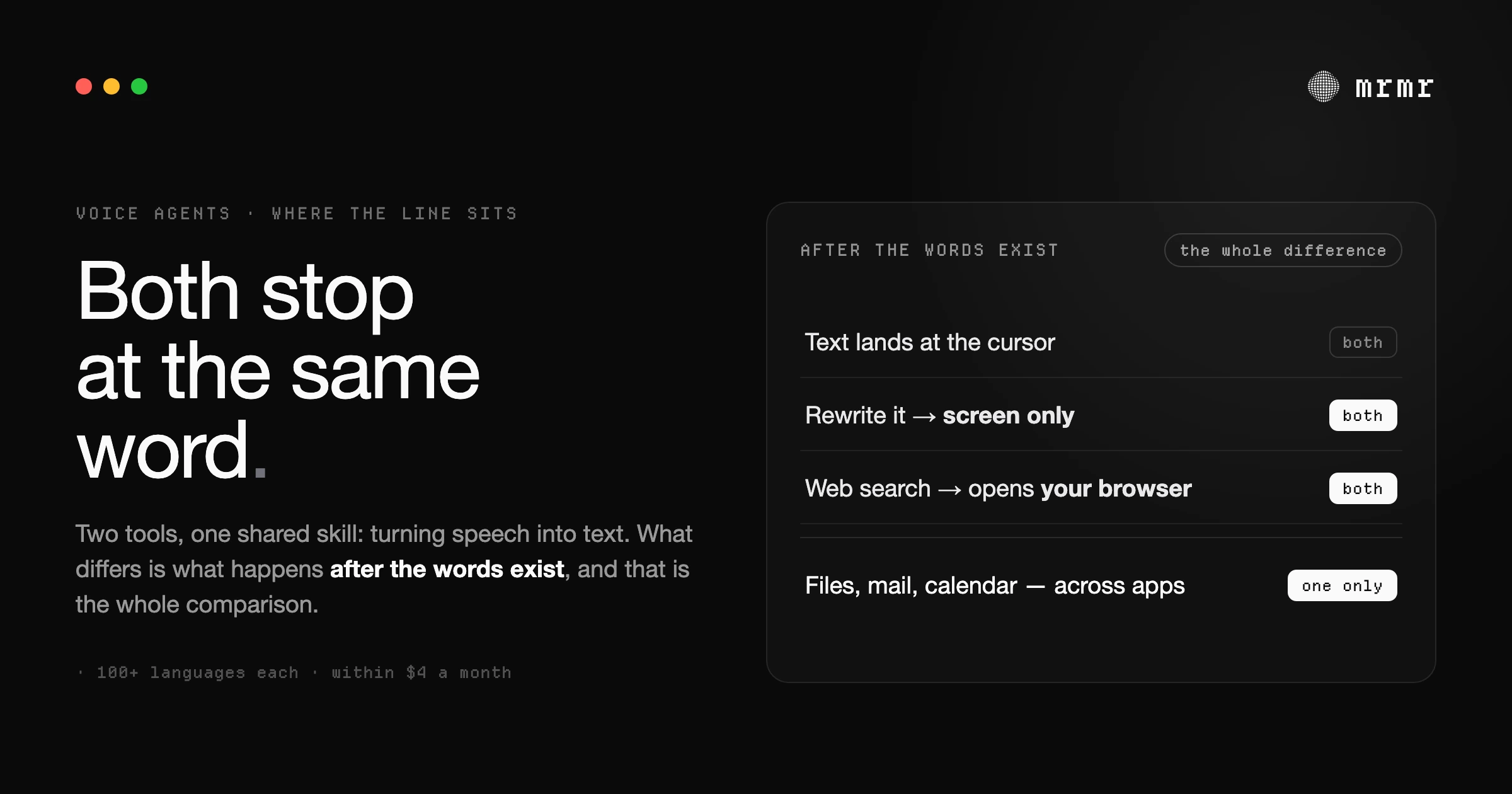
TL;DR: VoiceOS and Wispr Flow are both good at the same thing, which is turning speech into text that reads like you wrote it. They support the same 100-plus languages, both adapt tone per app, both are SOC 2 Type II compliant, and they cost within a few dollars of each other per month. They are not the same product, and the difference is not a feature list. Wispr Flow is a dictation engine with a command palette attached. Its Command Mode edits text that is already on screen and hands web searches to your browser. It does not touch a third-party app. VoiceOS is an action layer: it calls Slack, Gmail, Google Calendar, Notion, and Outlook, and it asks before it does. That is the whole comparison. If you write words, they are close to interchangeable and Wispr Flow has mobile. If you do things, only one of them can.
VoiceOS has published its own VoiceOS vs Wispr Flow comparison, and it is worth reading before you read ours, because it is candid about being an advertisement. The table is accurate. The framing is the part to interrogate.
We build mrmr, which competes with both, so you should discount anything we say that flatters us. What follows tries to be the version of this comparison that helps you decide, including the two places VoiceOS is the better product and the one place we think the category is heading and neither has arrived at.
What they genuinely share
Start with the overlap, because it is larger than the marketing implies and it is the part you are buying either way.
Both products turn speech into text and then clean it up: filler words removed, punctuation added, lists formatted, corrections caught mid-sentence rather than transcribed literally. Both run in any text field on your computer. Both support more than 100 languages with automatic detection. Both adapt tone to where you are writing. Both learn your names and jargon, through a personal dictionary that updates when you correct them. Both are SOC 2 Type II compliant, and both are roughly the same price: VoiceOS Pro is $11.99 per month billed annually, and Wispr Flow Pro is $12 per month billed annually or $15 monthly.
On the axis of “turns what I say into what I meant,” Wispr Flow is at least as good as VoiceOS and has a longer public track record. Wispr raised $81 million and is shipping on four platforms. That is not a small company shipping a demo.
So if your problem is that typing is slow, stop reading here. Wispr Flow, or Superwhisper if you want local transcription, is a fine answer and we have no interest in talking you out of it.
The line: what happens after the words exist
This is the only part of the comparison that matters, and it is the part most comparison pages blur.
When you finish speaking, both products have produced a block of text. The question is what happens next, and the two products answer differently.
Wispr Flow stops. Its Command Mode, documented in its own help center, does two things: it edits text, and it runs web searches. That is the complete list. The web-search commands work by opening Google, Perplexity, ChatGPT, or Claude in your browser with your dictated words as the query. The text-editing commands operate on text that already exists, with a caveat the docs are honest about: with nothing selected and no surrounding text, the command does nothing, and failed edits show no error.
Read that again. You say “reply to Sarah that the deploy is out,” and Wispr Flow produces those words as text. It does not find Sarah, it does not open the thread, and it does not send. Whether that reply happens is entirely up to you and the mouse.
This is a coherent product. It is an excellent dictation engine, and Command Mode makes reflowing and cleaning text faster. It is not a voice agent, and its own documentation does not claim to be one.
VoiceOS crosses the boundary. Its Agent Mode resolves intent against connected services and prepares real actions: Slack messages, Gmail sends, Calendar events, Notion pages, Outlook mail and calendar, Apple Mail, Finder operations. It has screen awareness, web search with sources, reminders, support for your own MCP servers, and a documented “asks before it acts” step.
If your work lives in those apps, that difference is the entire product.
Where Wispr Flow is the better buy
Three things, and they are not small.
Mobile. Wispr Flow ships on iPhone and Android today. VoiceOS lists iPhone and Android as “coming soon” with a waitlist. If you dictate on your phone, Wispr Flow is the only one of the two that works. This is the single most decisive practical difference and it has nothing to do with agent architecture.
No cold start, and no weekly ceiling. Wispr Flow’s free tier is 2,000 words per week on desktop with no card required, which is enough to decide whether you like it. VoiceOS’s pricing page is unusually direct about this: “The free tier is not a sign-up option.” New accounts get a 7-day Pro trial, and after cancelling you drop to 100 dictation sessions and 25 Agent Mode sessions a week. There is no permanent way to try VoiceOS at your own pace.
Snippets and shared team shortcuts. Wispr Flow has a snippet library for text you say constantly, and team plans include shared snippets and a shared dictionary. VoiceOS lists custom vocabulary and enterprise billing but not a snippet library, which on its own comparison page shows a cross.
Where VoiceOS is the better buy
Actions, obviously, and more of them than the comparison page admits. VoiceOS’s changelog shows the current integration surface includes Outlook for Microsoft 365 mail and calendar, Apple Mail with local search, draft, reply, and send on Mac, and a Finder integration for finding, opening, and organizing files. That last one is not on the marketing comparison table, and it is the more interesting capability, because Finder is not a third-party service. It is your actual filesystem.
A confirmation step that is doing real work. Their own release notes record a fix where Agent Mode “now pastes the user’s intended input instead of accidentally inserting the assistant’s response into the active app.” That is a small line in a changelog and it is worth pausing on, because it describes the exact failure this product category exists to prevent: the agent’s own words landing in your document where your words should be. Any tool that writes into your apps will eventually do something like that. The question is whether it asks you first and whether you can see what it is about to do.
It is the cheaper mature option, and the most funded. Y Combinator backed, San Francisco, roughly 19 shipped releases by the August 2026 changelog, and a functional free tier after cancellation. The team is building an app store for voice-native integrations that launched in August 2026. That is a company with momentum and a roadmap, not a landing page.
The comparison neither page will make for you
Here is the argument we actually think matters, and we hold it against ourselves.
VoiceOS’s comparison page argues that Wispr Flow makes you a faster typer while VoiceOS removes app switching. That is correct and it is the easy half. The harder half is that reaching an app through a connector and reaching it by controlling your screen are different architectures with different failure modes, and the marketing flattens that difference into a feature list.
Connector-based, as VoiceOS and mrmr both do it: the agent calls each service’s API. It is fast, structured, and it only touches apps you explicitly connected. The trade-off is reach. Linear is a supported connector. The app you use for your side project, which has no public API and never will, is not.
Screen-aware, as Siri and the general chatbots increasingly do it: the agent looks at what you can see and operates the interface. The trade-off is reliability, because an interface is a moving target and a mis-click has consequences that an API call would not have had.
Neither is correct in general. But a comparison table that lists “Notion pages by voice” as a checkmark and stops there is not telling you which architecture you are buying, and the difference becomes very concrete the first time the tool you need is the tool nobody wrote an integration for.
We think the answer is that you will end up running both, and that is a defensible place to be.
For most knowledge workers the split is natural. Wispr Flow or a local transcriber owns everything that ends in a text field: writing, editing, replying, notes, code comments, and now your phone. That is most of the day, and it is the part where raw transcription speed and polish actually matter. A voice agent owns the multi-step sequences that leave one app and land in another: reply to this thread, move that event, file the ticket, send the follow-up. Those are a minority of your keystrokes and a disproportionate share of your context switches.
Running both costs about $24 a month and means neither tool has to be mediocre at the other’s job. If you want one subscription, buy the one that matches where your pain actually is. If you have the budget, use each for what it is good at.
A note on the write gate
One thing we would want you to check on any tool in this category, VoiceOS included, is where its confirmation boundary sits.
VoiceOS documents that it asks before acting, and its features page is careful about the language: it prepares actions, available actions depend on connected services, and important actions stay reviewable. That is the right shape. The granularity is the part that varies by product. A confirmation that fires on every read trains you to click through it, which is a well-documented failure mode we have written about in detail in our field guide to how voice agents gate writes, and in why confirm-everything breaks human-in-the-loop AI.
The design we would want: reads never confirm, low-stakes reversible actions never confirm, anything with real-world consequences confirms with the exact action and arguments visible, and anything the system does not recognize defaults to asking. If the tool you pick asks you to approve reading your calendar, it is going to ask you to approve sending an email, and you are going to stop reading.
mrmr’s position on this is written up plainly in what your voice agent sends to the cloud and in how voice-first interfaces should behave. We are not the only product here that gates writes, and this is not a category where the only serious option is the loudest one.
Who should pick which
Pick Wispr Flow if you dictate on iPhone or Android, you want to try a voice tool without a card, your work is writing rather than operating, or you want the most established dictation engine available. You are not settling for less. You are picking the best tool for the largest part of your day.
Pick VoiceOS if you spend your day in Slack, Gmail, Calendar, and docs and want multi-step actions from voice, you want Windows as well as Mac, or you want an action layer that is actively shipping new integrations.
Pick mrmr if your work spans a wider set of services than either of these connects to today, you want a live conversational agent that talks back rather than a transcript you edit, or you want to delegate bounded multi-step work to a background agent. It currently connects to twelve services: Slack, Gmail, Google Calendar, Google Tasks, Google Meet, GitHub, Linear, Notion, Zoom, Calendly, Cal.com, and Attio. It is Mac only and in private beta, and its realtime agent mode is metered at 60 minutes a day and 10 hours a month, with dictation unlimited.
Pick all three of the above if you want to understand that this is a layered problem. Writing, acting, and delegating are three different jobs, and the tools are converging rather than merging.
What we would want you to check before buying
Both products change fast. VoiceOS shipped 19 releases by August 2026 and its integration surface is visibly moving. Wispr Flow gates Command Mode behind Settings → Experimental and notes that Command Mode “requires a paid plan.” Verify the current feature list on the vendor’s own page before you decide, because a comparison written this month can be wrong by next quarter, and both of these will have moved.
VoiceOS is at voiceos.com, Wispr Flow at wisprflow.ai. We linked both so you can check our claims against theirs, which is the only honest way to read a comparison written by a competitor.

