What Your Voice Agent Sends to the Cloud (and What Should Stay Local)
Every serious voice agent in 2026 processes in the cloud, and the marketing around local vs cloud hides the questions that matter. An honest map of what a voice agent sends, per trigger, what it keeps, whether it trains, and when a local-first tool is genuinely the better choice.
TL;DR: Every serious AI voice agent in 2026 (ChatGPT’s, Gemini’s, mrmr’s) processes your voice in the cloud. That’s not a scandal; it’s where the capability lives. But the marketing around “local vs cloud” obscures the questions that actually determine your exposure: what leaves your Mac, exactly when, where it goes, how long it’s kept, and whether it trains anything. This is the honest map, trigger by trigger, including the rows where mrmr itself sends data to the cloud, plus a checklist of what good cloud architecture looks like, and the cases where a local-first tool really is the better choice.
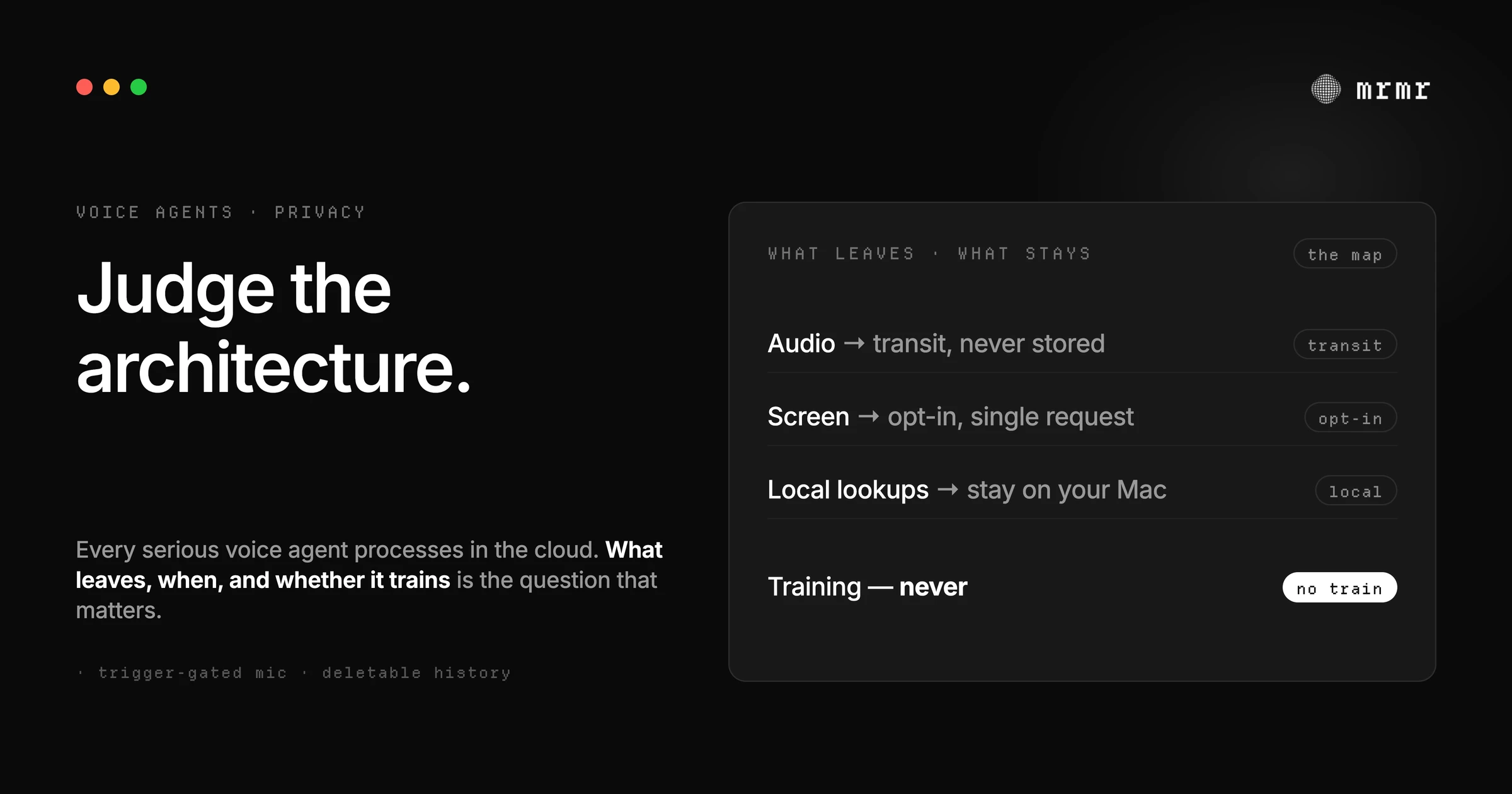
The most common privacy question about voice assistants is some version of “is it always listening?” It’s a good instinct pointed at the wrong product. The fear is about capture without consent, and capture is a real thing to interrogate. But with the 2026 generation of voice agents, capture is the easiest thing to check and the least likely to surprise you. The harder questions come after capture: where the audio goes, what happens to it there, how long anything is kept, and what it’s used for.
Those questions matter now more than ever, because the market has split into two camps with loud, simplified stories. One camp shouts offline: everything stays on your device, nothing ever leaves. The other camp barely mentions data handling at all and leans on brand trust. Both stories dodge the real picture. A tool that says “100% offline” still has your transcript sitting in a local database you never audit. A cloud tool saying nothing makes you imagine the worst.
The truth is per-trigger and per-architecture, not per-slogan. Here it is, starting with the question people ask most.
Is it safe to dictate work emails on a Mac?
For most work email, yes, as long as you know which of three paths your words take:
- Apple Dictation. Apple says your Mac shows in Keyboard settings whether your audio and transcripts are processed on the device and not sent to Apple. Otherwise, what you dictate is sent to Apple’s servers and processed there, but not stored unless you opt in to Improve Siri and Dictation, and your request history is tied to a rotating random identifier rather than your Apple Account (Apple).
- A cloud dictation app or voice agent (mrmr, Wispr Flow, and most of the category). Your audio goes to a transcription provider in real time, and the text often goes to a language model for clean-up. The questions to ask each vendor are whether it stores the audio, for how long, and whether it trains on it. For mrmr: audio is not used for training and raw audio is not stored on mrmr’s servers.
- An on-device app (MacWhisper, VoiceInk, BetterDictation). With their local models, transcription happens on your Mac and the audio never leaves it.
Work email already lives on your email provider’s servers, so a cloud tool that doesn’t keep or train on your audio adds little new exposure for routine messages. For content that must never leave the Mac, such as legal, medical, or a source you’re protecting, dictate with an on-device tool. The rest of this piece is the detailed map behind that answer.
Is it always listening?
This is the question worth answering precisely, because the answer separates honest products from creepy ones mechanically, not rhetorically.
A voice agent has a capture window, and the only question that matters is: when is that window open?
In a well-built agent, the microphone opens only when you trigger it (hold a key, tap a button, say a wake phrase) and closes the moment you finish. Between triggers, the mic is closed at the OS level, and nothing is captured, buffered, or sent. “Idle” means idle: no audio exists to process. This is verifiable without trusting the vendor’s words, because macOS shows a microphone indicator whenever any app has the mic open. If the indicator is dark while you’re not triggering, the mic is closed.
The failure modes are the ones you already suspect: an app that keeps the mic open to support an always-on wake word, or an agent that silently buffers audio while “idle.” Those exist, and they deserve the reputation they have. But “always listening” is a property of a specific implementation, not of cloud processing. The cloud doesn’t make an app listen when it’s idle; bad architecture does. (mrmr’s own answer, for the record: the microphone opens only on trigger, Agent Mode sends no audio while idle, and the macOS mic indicator is the receipt.)
So: ask when the mic opens. Then ask the questions that matter more.
What actually leaves, trigger by trigger
For a voice agent that can both transcribe and act, here is the honest map of where data goes, written from mrmr’s architecture and matching what our privacy policy spells out in full.
| Trigger | What leaves your Mac | Where it goes | What stays |
|---|---|---|---|
| You hold the key and dictate | Audio | Third-party transcription provider, in real time | Nothing buffered while idle; raw audio is not stored on mrmr’s servers |
| Your words get cleaned up | Transcribed text | A language model for polishing | Nothing new |
| You talk to the agent | Audio + spoken request | Real-time language model processing | Nothing new |
| You ask about what’s on screen | An image of the front window | Third-party vision model | Only with the optional Screen Recording permission granted, only when the request refers to the screen, not retained after the request is answered |
| You look up files, bookmarks, reminders | Nothing | Lookups run locally on the Mac | The lookup runs on-device; relevant results (file names, page titles) may be shared with the model to answer you |
| The agent takes an action | The action and its details | Through an integration platform to the service (Slack, Linear, Calendar, …) | Nothing new |
| Ongoing use | Workspace metadata: names and IDs (channels, people, calendars, projects) | Cached on the vendor’s servers to match spoken names to real records | Not full history: richer content is processed only when you ask for a specific action |
| Ongoing use | Execution history: summaries of actions taken and results | Stored on the vendor’s servers | Deletable entry by entry, clearable in full |
Two things to notice about this table. First, it contains rows where data leaves the Mac that aren’t audio: the workspace cache and the execution history are the ones people never think to ask about, and a vendor that hides them is telling you something. Second, it contains rows where nothing leaves: a lookup of your local files or browser bookmarks runs on-device, and the sensor (the screen) is permission-gated rather than assumed.
This is what “honest” looks like in practice: the map includes the unflattering rows. If a vendor’s privacy page doesn’t have rows like them, ask why.
The trade-offs, stated plainly
With the map on the table, the “local vs cloud” argument can be had honestly instead of by slogan.
What the cloud buys you. Accuracy across ~60 languages without bundling models per language. Real-time reasoning good enough to turn “move my 2pm and tell the room” into the right two actions across the right two services. The agent itself. Every serious voice agent in 2026 makes this trade: ChatGPT’s agent runs on OpenAI’s infrastructure, Gemini Spark runs on Google’s, and the pattern isn’t an accident: acting reliably across your work apps currently takes models that don’t fit on the Mac doing the acting. For the agent use case, cloud processing is where the capability is, and pretending otherwise would sell you a worse assistant.
What the cloud costs you. Your voice leaves the device, to a third-party provider you’ve vetted only through the vendor’s privacy policy. The tool needs an internet connection, so no airplane-mode dictation. And you’re exposed to whatever the provider’s own data practices are, which is the next section. This is a real cost, and it deserves to be stated by the cloud vendor rather than discovered by the user. mrmr’s version: cloud-only today, no local model option, and if that’s a dealbreaker for a given workload, the honest guidance is in the last section of this piece.
What local-first actually gets you, and what it costs. An offline tool’s promise is clean: the audio never leaves the device, full stop. That’s a genuine guarantee, and for many people it’s the right one. What it costs is capability: local models are smaller, so transcription quality drops on noisy audio, unusual accents, and multilingual speech; and a model small enough to run locally cannot reliably drive multi-step actions across your work apps. Local-first today means excellent private dictation and a much weaker agent. If your priority is private dictation, that trade is worth it. If your priority is voice that acts, you are currently choosing cloud, and the question becomes which cloud architecture you trust.
What good cloud architecture looks like
If you’re going to use a cloud voice agent, these are the properties that separate a careful one from a careless one. Each is a design choice, not a feature, and each comes from a principle older than AI.
Capture only on trigger. The mic opens when you act and closes when you stop. This is fail-safe defaults applied to a sensor: the system should be closed by default and open only on explicit action, not the reverse.
Don’t store what a single request needed. Raw audio has one job (become text), and after that job it’s a liability. A careful architecture processes audio in transit and keeps none of it server-side. The same logic applies to screen context: a capture that answers one question about your screen shouldn’t live in someone’s object storage afterward.
Don’t train on your users. This is the row where cloud services differ most, and it matters more than anything else for work content. ChatGPT for consumers trains on your conversations by default unless you opt out; its business and API products don’t by default. A voice agent should be in the second posture, permanently: audio and transcripts used to power the product, not to improve anyone’s model. mrmr’s stance is the flat one: audio is not used for training.
Minimize, and keep the minimization honest. GDPR states it as a principle: personal data must be “adequate, relevant and limited to what is necessary.” Applied to an agent: cache the channel names and IDs needed to resolve spoken names; don’t ingest the entire workspace by default; process a document’s content only when a specific action requires it. Every vendor will claim “data minimization”; the test is whether they can tell you what they don’t pull. A policy that enumerates what it caches per integration and names what it never ingests is doing the work.
Gate sensors behind consent. The screen is the sharpest sensor an agent can have, because one capture can contain anything visible in any app. So it must be opt-in at the OS level, used only when the request refers to the screen, and revocable without breaking the rest of the product.
Keep history deletable. Execution history is genuinely useful: it’s how you audit what the agent did. It should also be deletable, entry by entry, without a support ticket.
None of these properties require local processing. All of them can be absent in a local product: an offline tool that hoards transcripts forever is not private, it’s just local. Judge the architecture, not the wire.
When a local-first tool is the better choice
Because this piece is written by a cloud vendor, the most important section is the one that says: sometimes, don’t use us.
Choose a local-first dictation tool when the content itself is what must never leave. Legal drafts, medical notes, therapy journals, sources you’re protecting: if the text is sensitive enough that you don’t want it in any provider’s processing path, dictation through a well-regarded offline tool is the right call, full stop. Transcribe locally, then move the text wherever it goes. On a Mac that means Apple Dictation (on-device on Apple silicon, in supported languages), or MacWhisper, BetterDictation, or VoiceInk, which run Whisper models on the Mac itself. mrmr is not one of these: it has no offline mode.
Choose local when your environment requires it. Strict air-gapped or compliance-constrained setups where third-party processing is contractually off the table will rule out every cloud tool, including mrmr. That’s not a mark against the tools; it’s the environment’s rule.
Choose local when you want sovereignty for its own sake. Running your own models on your own machine is a legitimate preference, and the open-source ecosystem, from offline dictation apps to agent frameworks like OpenClaw that can run local models, makes it real. You’ll trade convenience and capability for control, and for some people that’s the correct trade every time.
The uncomfortable summary, from the cloud side: a cloud agent that captures only on trigger, stores no raw audio, doesn’t train, minimizes what it caches, and keeps history deletable is a reasonable trust decision for everyday work content that already flows through those same cloud services. A local tool is the right answer when the content must never leave. Most people have both kinds of content, which is why the honest answer is a per-workload decision, not a slogan.
Why this matters
Voice agents are becoming the primary way people interact with their machines, which means voice data is becoming the primary way people expose their work. The marketing war between “offline!” and silence doesn’t help anyone decide. What helps is a map: what leaves, when, where it goes, how long it’s kept, whether it trains, for the tool you’re considering, whatever its slogan. Vendors who can answer those five questions in one sentence each are telling you the truth about what they built. Vendors who can’t, or won’t, are telling you something too.
Frequently asked questions
Are voice assistants always listening? Not the ones built correctly. A well-built voice assistant opens the microphone only when you trigger it and closes it the moment you finish; between triggers, the mic is closed at the OS level and nothing is captured or sent. You can verify this yourself with the macOS microphone indicator. Always-listening behavior is a property of specific implementations (always-on wake words, silent buffering), not of cloud processing.
What does an AI voice agent send to the cloud? Per trigger: your audio goes to a transcription or language-model provider in real time; polished text and agent requests go to language models; a screen capture goes to a vision model only if you granted the optional permission and asked about the screen; and actions you approve are executed through an integration platform to the relevant service. Local lookups (files, browser bookmarks, reminders) run on the Mac. The rows people forget: workspace metadata caches (names and IDs needed to match spoken names to records) and execution history, both of which live on the vendor’s servers and should be documented and deletable. For mrmr specifically, that is the whole list: audio and requests per trigger, a screen capture only on request, a cache of workspace names and IDs, and an execution history you can delete; file, bookmark, and reminder lookups stay on the Mac.
Can I use a voice assistant on my Mac without my recordings going to the cloud? Yes, but not with mrmr. mrmr is cloud-only: dictation audio streams to a third-party transcription provider in real time, and agent requests go to cloud language models. For recordings that must stay on the Mac, use an on-device tool: Apple Dictation on Apple silicon (in supported languages), MacWhisper, BetterDictation, or VoiceInk for dictation, or Dottie’s local mode for an agent that works with Apple’s own apps.
Is it safe to dictate work emails on my Mac, or does everything get sent to a server? It depends on the tool. Apple Dictation processes many languages on the Mac itself, and Keyboard settings tell you whether yours is; otherwise what you dictate is sent to Apple’s servers but not stored unless you opt in to Improve Siri and Dictation. With a cloud tool like mrmr, the audio goes to a third-party transcription provider in real time and the text to a language model for clean-up; it is not used for training, and raw audio is not stored on mrmr’s servers. For everyday work email, which already lives on Gmail’s or Outlook’s servers, either is usually a reasonable trade. For content that must never leave the Mac (legal, medical, sources you protect), dictate with an on-device tool instead.
Can voice agents work offline or locally on a Mac? A few can, with less reach. Dottie can run entirely on-device against Apple’s own apps with local models; but any action in Slack, Linear, Gmail, or Google Calendar needs the internet, because those services live online. mrmr does not work offline: transcription, the agent, and every connector action need a connection.
Is local AI more private than cloud AI? For audio capture, genuinely yes: a truly local tool’s audio never leaves the device. But “local” alone guarantees less than it sounds (a local app can still hoard transcripts indefinitely), and it costs capability: smaller models mean weaker transcription in noise, accents, and multiple languages, and no current local model can reliably drive multi-step actions across your work apps. Local-first is the right choice for sensitive content and constrained environments; a well-architected cloud tool is a reasonable choice for everyday work content that already flows through cloud services.
Does mrmr train on my audio? No. mrmr’s audio is processed in real time to power transcription and the agent, and is not used for training. Raw audio is not stored on mrmr’s servers; if Save transcripts is on, recordings are retained locally on your Mac and deletable; otherwise they are deleted after processing. Screen captures, when enabled, are processed for the single request and not retained. The full map is in mrmr’s privacy policy.
Should I use a local-first dictation app instead of a cloud agent? For the sensitive content itself (legal, medical, therapeutic, sources), yes, and mrmr would tell you the same: transcribe locally with a well-regarded offline tool. For voice that acts across Slack, Linear, Calendar, and the rest of your work apps, no local tool currently matches what cloud agents can do, so the question becomes which cloud architecture you trust: trigger-gated capture, no raw-audio storage, no training, honest minimization, deletable history. Most people have both kinds of content, and the per-workload split is the honest answer.
Try it
mrmr is a voice-first AI agent for Mac: cloud-processed, trigger-gated, and built to be transparent about every row of the map above. It takes real action across your work apps and your Mac, confirms every write with you, and its privacy policy enumerates exactly what is cached, what is never stored, and what is deleted. It’s currently in private beta.
Join the private beta → Book a 20-minute setup call →
Sources
- Apple, Siri, Dictation & Privacy (accessed October 2026). On-device processing shown in Keyboard settings; server-processed dictation not stored unless you opt in to Improve Siri and Dictation; history tied to a rotating random identifier, not your Apple Account.
- OpenAI Help Center, How your data is used to improve model performance. Documents that ChatGPT for individuals may train on your content unless you opt out, while business and API products are opted out of training by default, the clearest example of why “cloud” is not one privacy posture.
- Regulation (EU) 2016/679 (GDPR), Article 5: Principles relating to processing of personal data. The codified data minimisation principle: personal data must be “limited to what is necessary,” and kept no longer than needed.
- Saltzer and Schroeder, The Protection of Information in Computer Systems (Communications of the ACM, 1975). The origin of fail-safe defaults and least privilege, the design principles behind trigger-gated capture and permission-gated sensors.
- Greshake et al., Not What You’ve Signed Up For: Compromising Real-World LLM-Integrated Applications with Indirect Prompt Injection (arXiv, 2023). Why the volume and kind of content an agent processes is also a security surface, not just a privacy one.
- 9to5Google, Gemini app for Mac adding ‘Spark’ agent and voice control this summer (May 2026). Documents Gemini Spark as a cloud agent running on Google’s infrastructure, evidence that cloud processing is where agentic capability currently lives, across vendors.
Related reading:
- How Voice Agents Confirm Actions: A Field Guide to Human-in-the-Loop Design
- What Is Human-in-the-Loop AI? (And How to Tell If an Agent Actually Has It)
- AI Agent for Mac: The Voice-First Assistant That Executes Across Your Apps (2026)
- What Is Prompt Injection? (And How Agents Defend Against It)
- Best AI Assistant for Mac (2026): 7 Voice Agents That Actually Take Action

