What Are Background Agents? (And How to Delegate to One by Voice)
A background agent is an AI agent you hand a task to that works on its own and reports back. How background agents work in coding tools like Cursor, GitHub Copilot and Codex and in voice agents, their limits, and how to stay safe.
TL;DR: A background agent is an AI agent you hand a self-contained task to. It runs its own multi-step loop somewhere other than your conversation, you keep working, and the result lands when it lands. In coding tools such as Cursor, GitHub Copilot, and OpenAI Codex, background agents run in cloud machines and hand back a branch or pull request for you to review. In a voice agent, this is the mechanism behind “delegate to a sub-agent,” and it is the difference between a voice assistant that can chat and one with staff. This piece explains what background agents can and cannot do, how delegation works by voice, the one rule that makes them safe (reads run, writes wait for you), and what to look for in any product that promises to work while you’re away from the conversation.
There is a bottleneck at the heart of every assistant conversation, and almost nobody names it: the agent can only do one thing at a time, in front of you, in your conversation’s turn.
Ask your voice agent to summarize what went through your team’s engineering channel this week, and you have a problem. Not because the agent can’t do it, but because doing it properly takes a dozen tool calls and several minutes of reading. During all of that, the conversation is hostage. You wait, or you watch a progress spinner, and the thing that made voice feel effortless, that you just talk and it happens, quietly turns into standing at a counter.
Real work delegates. You hand the bounded task to someone, keep moving, and collect the result. Background agents bring that structure to AI agents: the delegated task runs on its own loop, in its own space, while the conversation you’re actually in stays yours. Here is how they work, what they can and cannot touch, and the rule that makes the whole thing safe.
What a background agent is
A background agent is an AI agent running a delegated, self-contained task on its own multi-step loop, separately from the conversation that spawned it.
Three properties distinguish it from a chat or an automation:
It is delegated, not scheduled. You hand it a task in natural language, with the context it needs, right now. It is not a cron job on a timer and not a workflow you pre-built. The task can be one sentence: “summarize these notes and draft the status update.”
It has its own loop. Once dispatched, the sub-agent works through its own sequence of tool calls (searching your connected apps, resolving the names it finds, searching the web, fetching the pages it needs) without consuming a single turn of your conversation. You get a task id back immediately, and you go on with your day.
It is bounded. A background agent has a task with an expected output, not an open mandate to be your assistant. The scope is the delegation. That boundary is what makes it safe enough to run while you’re not watching, and it is the first thing to check about any product promising background work.
The term most people will search is “background agents”; the mechanism inside a voice product is usually called a sub-agent, the delegated instance of your agent. Same idea, one layer down.
What one can and cannot do
The honest capability list, from mrmr’s implementation as the reference example:
A sub-agent works in the cloud, on its own loop, and it can read and search across your connected cloud apps (Slack, Linear, Google Calendar, and the rest of the OAuth connectors), resolve names in your workspace (which channel, which project, which person), search the live web, and fetch and read specific web pages over many steps, then return a result. It is the right tool for gather, read, summarize, and analyze work: “draft a status update from my open Linear issues,” “summarize what went through #engineering this week,” “read this URL and tell me what the product does.”
What it deliberately cannot do: touch anything on your Mac. A background sub-agent has no access to Apple Reminders, your files, your clipboard, or system controls. Those are on-device capabilities that belong to the live agent in your conversation, not to a cloud run. If a delegated task needs local context, you pass the relevant text in with the task.
And there is one rule worth knowing as a user: fetching a specific web page is always sub-agent work. The conversation agent talks; the sub-agent goes and reads.
How delegation works by voice
The flow is worth spelling out, because it is where the design either respects you or doesn’t.
You say: “Delegate a review of my open Linear issues and group them by priority.” The agent hands the task off and answers in one sentence: the sub-agent is on it. The conversation is yours again, immediately.
The sub-agent starts its loop: reading your Linear workspace, grouping the issues, drafting the review. Its progress and every step it took are visible in a small panel. You keep working. Anywhere from a minute to many minutes later, the result lands in that panel.
Then comes the part that makes delegation usable instead of stressful: you check in by meaning, not by id. Sometime later you ask, “Did that website summary finish?” or “What did the research task from earlier find?” The agent matches your description against your recent runs and reads back the status or the result. You never touch an identifier. Ask “show me that task” and the panel opens; ask “close the sub-agent” and the panel dismisses, while the task itself keeps running.
And when a result isn’t quite right, the conversation isn’t over: follow-up messages go to the finished sub-agent, which still holds its task, its result, and your prior follow-ups, so you can refine the answer without starting over.
The rule: reads run, writes wait
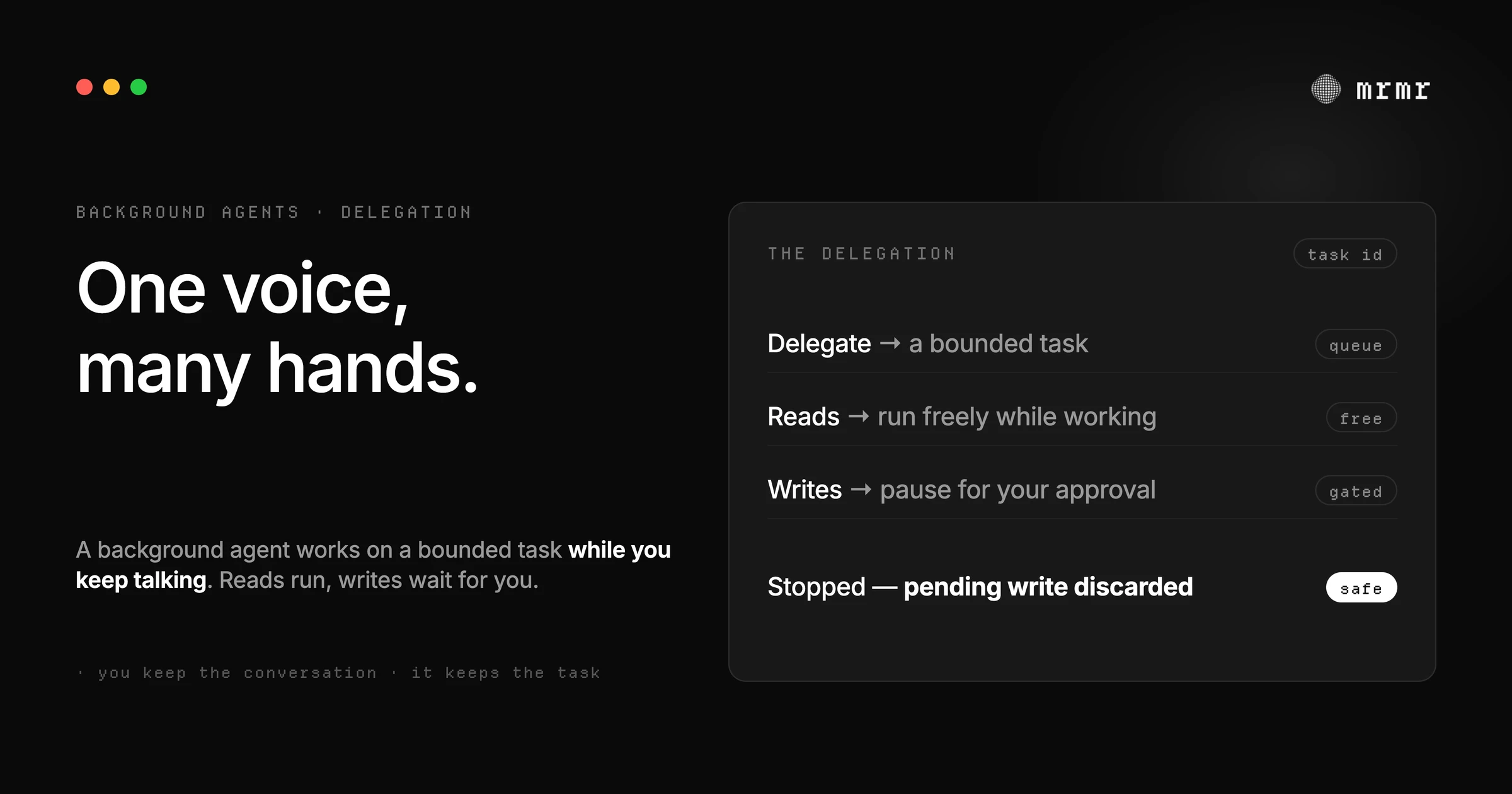
Here is the design decision that makes background agents safe enough to actually use, stated as one rule: a sub-agent may read freely while it works, but every write pauses the run and waits for you.
While a delegated task is working, it can search your apps, read pages, and pull data without asking. The moment it proposes a change, sending the message it drafted, creating the ticket, updating the record, the run stops and shows you the proposed action for approval on the panel. Approve, and it continues. Reject, and it keeps going without the write. A task that proposes several writes at different stages may pause more than once.
If you stop a run while it’s working, or while it’s waiting on an approval, a write it was waiting on is discarded, not sent. The activity trace survives so you can see exactly what it got through, but stopping is final for that run.
This is the same fail-safe principle that governs the live conversation, enforced by the application below the model, extended to work that happens while you’re not watching. It matters more in the background, not less: a sub-agent doing research will read pages of untrusted web content, and indirect prompt injection rides in on exactly that kind of text. A gate that lives below the model, bound to the proposed action, is the difference between an assistant with staff and an unsupervised process with your credentials.
Stopping, and the audit trail
Delegation without control is just autonomy with better marketing. Two mechanics close the loop:
Stopping is real. A Stop button appears on the run while it’s queued, working, or waiting for approval; halting it is one click (or a keystroke on the focused panel). The current step finishes, the button shows “stopping” briefly, and the run ends without producing a result. A stopped run keeps its activity trace, so you can see what it got through, and any pending write is discarded.
The trace is the accountability. Every run persists with the task it was given, the steps it took, each tool call and outcome, and where it got to. That is what turns “the agent did something in the background” from a worry into a record you can inspect, and it is what makes the follow-up chat meaningful: the sub-agent you’re refining with still knows what it did.
Delegate, or handle it in the conversation?
The line is simpler than it looks, and the agent should apply it for you:
Delegate when the task is multi-step, self-contained, and read-heavy. Anything that would take many tool calls or produce a lot of intermediate text: weekly channel summaries, competitive research, drafting a status update from your open issues, reading and extracting from a URL. If a task has a clear endpoint and needs several searches or tool calls, it is sub-agent work.
Keep it in the conversation when you want the exchange itself. A quick lookup, a single action, a decision with clarifying questions: the live agent should just do it, with you steering. Delegating a five-second task adds ceremony without benefit.
And when a task needs on-device context (your files, your Reminders, your clipboard), the live agent handles those parts itself and passes the relevant text to the sub-agent as context. The background run gets the words it needs; it never reaches your Mac.
Background agents in coding tools
Most searches for “background agents” are about software development, where the idea took hold first. The coding versions share one shape: the agent works on a copy of your repository in the cloud, and its output is a change you review, not a change that lands on its own.
- Cursor calls them Cloud Agents; its docs note they “were formerly called Background Agents.” Each one runs in an isolated virtual machine in the cloud with a full development environment, works on a separate branch, and pushes its changes to your repository for handoff. They don’t need your machine to stay online (Cursor docs).
- GitHub Copilot’s cloud agent can research a repository, plan changes, and implement them in the background, editing files and running tests and linters in an ephemeral cloud development environment. You review its changes and request refinements before a pull request is created, or ask for a pull request up front (GitHub Docs).
- OpenAI Codex in the cloud runs each coding task in its own isolated workspace, so several can run in parallel and keep working while your computer is asleep; you review the diff and continue from the web, mobile, or desktop app (Codex Cloud docs).
The safety model there is the same one this piece argues for: the agent reads and works freely in its sandbox, and nothing reaches your main branch until a person reviews it. A pull request is a write that waits.
How the rest of the industry does background work
Delegated, long-running agent work is an industry pattern now, with meaningfully different safety models:
- ChatGPT’s agent runs long tasks on its own virtual computer, asks permission before actions of consequence, lets you interrupt, take over, or stop at any point, and notifies you on your phone when the task is done. The work happens on OpenAI’s computer, not yours.
- Gemini Spark is persistent by design: Google describes it as “a 24/7 personal AI agent” that “keeps working in the background even when you close your laptop or lock your phone,” announced in May 2026 as a beta for U.S. Google AI Ultra subscribers (Google).
- OpenClaw treats delegation as a security decision by default: its docs recommend denying sub-agent spawning to agents that don’t need it, and requiring that delegated runs stay sandboxed when the workflow must stay sandboxed.
- mrmr’s sub-agents run as bounded tasks with the read/write split described above: reads run while you talk, every write pauses for approval on the panel, stopping discards pending writes, and every step is traced.
The pattern across all of them: the industry learned to run agents in the background before it learned to make that safe. The products worth trusting are the ones where the safety mechanism shipped with the delegation, not after.
What to look for in a background agent
Five questions, each with a one-sentence answer from any honest product:
- Is the scope bounded? A delegated task has an endpoint, not an open mandate.
- What happens on writes? They should pause the run for your approval, every time, not “usually.”
- Can you stop it, and what happens to pending writes? Stopping should be one gesture, and anything waiting on your approval should be discarded, not sent.
- Can you check in by meaning? “Did that research finish?” should work; task ids are for machines.
- Is there a trace? Every step the agent took, persisted, so the background work is auditable after the fact.
If a product’s answer to all five is specific, you’re looking at delegation done properly. If the answers are vague, you’re being offered autonomy without accountability, and the risk is not theoretical: it is your accounts, while you’re not looking.
The bottom line
A background agent is an AI agent you delegate a bounded task to: it runs its own multi-step loop elsewhere, reads what it needs, pauses for you on anything with consequences, and lands the result in a place you can check by meaning, stop at any moment, and refine by follow-up. Voice makes the delegation natural, spoken task in, spoken status check out. But the differentiator isn’t the voice; it’s the discipline: bounded scope, reads run and writes wait, stopping that actually stops, and a trace of everything it did. That is what separates an assistant with staff from a chat window with ambitions.
Frequently asked questions
What is a background agent? An AI agent that works on a task you delegated, on its own multi-step loop, separately from your conversation, and reports back when it’s done. Inside a voice product like mrmr, the delegated instance is called a sub-agent: you hand it a bounded task by voice, keep talking, and check in later by describing the task rather than tracking an id.
Can a background agent send messages or make changes? Only with your explicit approval. The safe design, and the one mrmr uses, is a strict read/write split: a sub-agent reads and searches freely while it works, and every proposed write pauses the run and waits for your approval on the panel. Nothing with consequences executes without you.
What happens if I stop a background agent mid-task? The run halts (the current step finishes first), keeps its activity trace so you can see what it got through, and produces no result. A write it was waiting on your approval is discarded, not sent. Stopping is final for that run; delegate again for a fresh attempt.
When should I delegate to a background agent instead of asking directly? When the task is multi-step, self-contained, and would take many tool calls or a lot of text: weekly channel summaries, research over your issues, reading and extracting from a URL. Keep quick lookups and single actions in the live conversation, where the back-and-forth is the point.
Are background agents the same as cloud agents? Mostly, yes. Cursor renamed its Background Agents to Cloud Agents, and GitHub calls its version a cloud agent, because the work runs on a cloud machine rather than your own. “Background” describes how you experience it (it works while you do something else), and “cloud” describes where it runs. A voice agent’s sub-agent is a background agent in the same sense.
What are background agents in Cursor? Cursor’s background agents, now called Cloud Agents, run coding tasks in isolated virtual machines in the cloud with a full development environment. Each works on its own branch and pushes changes back to your repository for you to review, and you don’t need to keep your computer online while it works.
Do background agents have access to everything I have? No. A sub-agent’s reach is the bounded task plus the connected cloud apps it needs for that task: it can search and read across apps like Slack, Linear, and Calendar, search the web, and fetch specific pages. It cannot reach your Mac itself (files, Reminders, clipboard), cannot ingest your entire workspace history by default, and cannot complete a write without your explicit approval on the card.
Try it
mrmr is a voice-first AI agent for Mac, and sub-agents are how it does long work without holding your conversation hostage: delegate by voice, approve every write on the panel, stop any run, check in by meaning, and refine the result with a follow-up. It’s currently in private beta.
Join the private beta → Book a 20-minute setup call →
Sources
- OpenAI, Introducing ChatGPT agent: bridging research and action (July 17, 2025). ChatGPT agent’s own virtual computer, permission before actions of consequence, interrupting or stopping a task, and phone notification when a task completes.
- Cursor, Cloud Agents (documentation, accessed October 2026). Cloud Agents, formerly Background Agents, run in isolated cloud VMs, work on a separate branch, and push changes for handoff.
- GitHub, GitHub Copilot on GitHub.com (GitHub Docs, accessed October 2026). Research, planning, and implementation in the background in an ephemeral cloud environment, with your review before a pull request.
- OpenAI, Codex Cloud (documentation, accessed October 2026). Parallel coding tasks in isolated cloud workspaces that keep working while your computer is asleep.
- Google, The Gemini app becomes more agentic, delivering proactive, 24/7 help (May 19, 2026). Gemini Spark as a 24/7 personal agent that keeps working in the background, in beta for U.S. Google AI Ultra subscribers.
- OpenClaw, Tool and agent permissions (documentation). Documents the sub-agent delegation guardrail: restricting delegation to agents that need it, and requiring sandboxed child runs where workflows must stay sandboxed.
- Saltzer and Schroeder, The Protection of Information in Computer Systems (Communications of the ACM, 1975). The origin of fail-safe defaults and least privilege, the principles behind a background agent that pauses on writes and runs freely only on reads.
- Greshake et al., Not What You’ve Signed Up For: Compromising Real-World LLM-Integrated Applications with Indirect Prompt Injection (arXiv, 2023). Why background agents reading untrusted web content need enforcement below the model, not instructions the model can be talked out of.
Related reading:

