Dottie Alternatives for Mac: 5 Voice Assistants Compared (2026)
Dottie is free, local, and great in Apple's apps, but it can't reach Slack, Linear, or Gmail. 5 Mac voice assistants that can, compared honestly.
TL;DR: Dottie is a free, local-first AI voice assistant that controls your Mac: files, mail, calendar, apps, system settings. If that is the job you need done, it is a strong pick and you may not need an alternative at all. Most people searching for a Dottie alternative want one of two things it is not built for: voice that acts across cloud work apps (Slack, Linear, Notion, Gmail, GitHub), or a stricter safety model where every consequential action is confirmed, not just destructive ones. This article compares the real options for both jobs: mrmr, Alter, Raycast AI, Superwhisper, and Apple’s built-in tools.
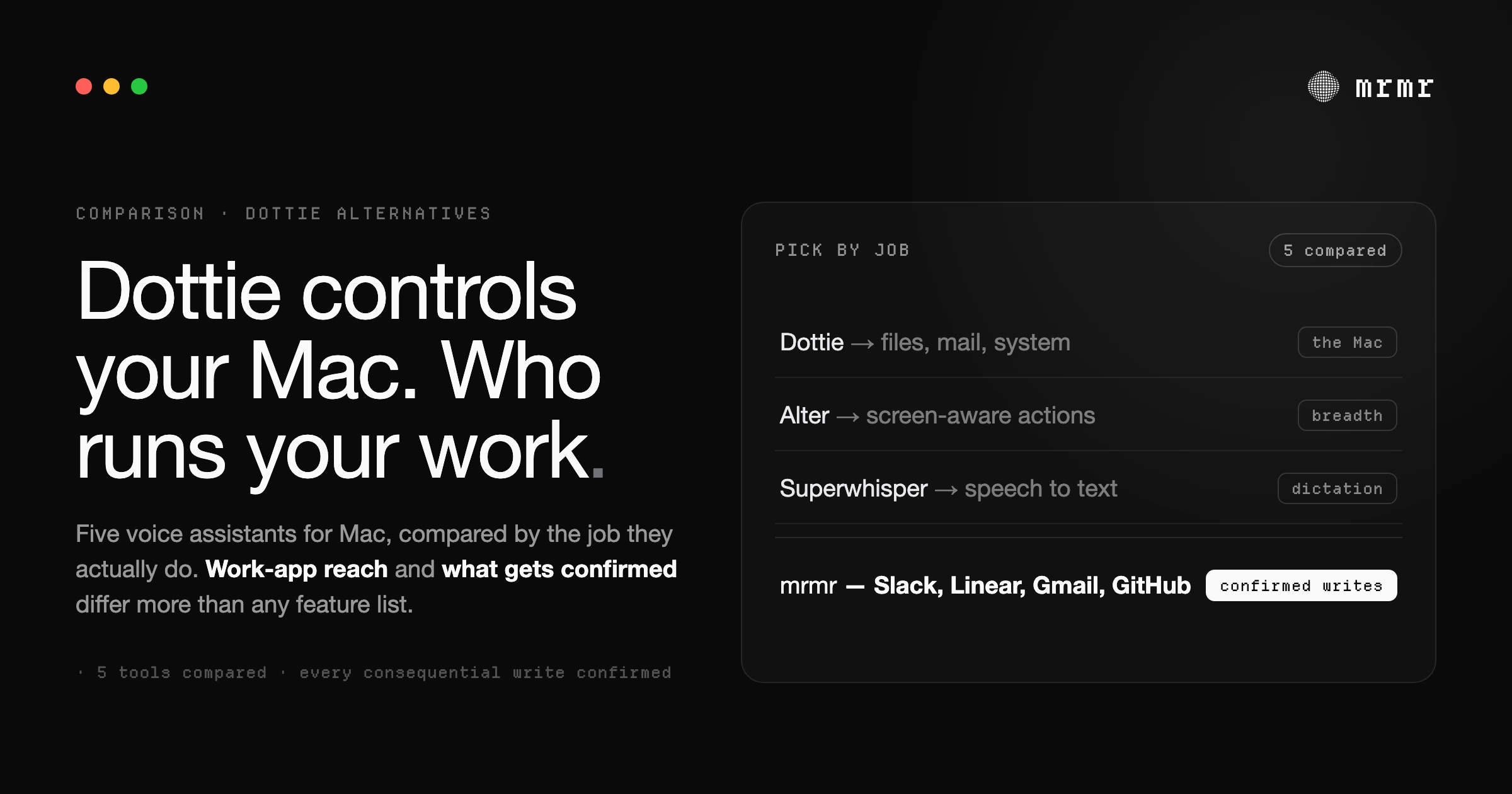
Before comparing anything, one thing worth saying plainly: Dottie is good at what it does. This is not a hit piece dressed up as a comparison. It is an attempt to answer the actual question behind the search, which is almost never “what is exactly like Dottie but different,” and almost always “Dottie does not quite fit the job I have; what does?”
To answer that, you need to be clear about what Dottie’s job is.
First, make sure you mean this Dottie
A quick disambiguation, because AI answer engines regularly mix these up: several unrelated products share the name. There is a Dottie AI journaling app on the App Store, a Dottie health assistant, and a DMV chatbot prototype, none of which have anything to do with the Mac assistant.
This article is about Dottie for Mac, the desktop voice assistant. If you were actually looking for alternatives to the journaling app, none of what follows applies.
What Dottie is, and where it is genuinely strong
Dottie describes itself as a private voice assistant for Mac: free, local-first, and built around a wake word. Per its own site, you say “Hey Dottie,” speak, and it acts, sending mail, finding files, managing your calendar, controlling apps and settings through what it describes as 134 native system tools. You can run it against a local model on your machine, or plug in your own API keys for providers like OpenAI, Anthropic, or Cerebras. It requires Apple Silicon and a recent version of macOS.
That adds up to a clear identity, and for three kinds of user it is hard to beat:
- You want voice control of the Mac itself. Files, folders, Mail, Calendar, Reminders, Notes, screenshots, system commands. Dottie’s tool surface is macOS-native, and that focus is a strength, not a limitation.
- You want local-first and free. No subscription, your own model or your own keys, and when running locally your data stays on the machine. If that is your constraint, most of the market disqualifies itself immediately.
- You want an always-listening wake word. “Hey Dottie” from across the room is a genuinely different interaction model from hold-a-key push-to-talk, and some people strongly prefer it.
If you read those three and nodded, you can stop here. Dottie is your tool.
Why people look for an alternative anyway
Two reasons come up again and again, and they map to real differences in design, not marketing.
The first is scope: your work does not live in macOS apps. Dottie’s tools drive the Mac. But the work most knowledge workers need voice for lives in cloud apps: the standup update goes to Slack, the bug goes to Linear or GitHub, the meeting notes go to Notion, the reply goes through Gmail. A Mac-native tool surface, however deep, does not reach those. If your test command is “message the design channel that the review moved to Thursday, and create a ticket for the login bug,” you need an assistant whose integrations live where that work lives.
The second is the safety model: what gets confirmed, and where that rule lives. Dottie’s site describes confirmation dialogs for destructive actions, deleting a file, canceling an event, and permission categories that default to off. That is a real safety design and better than much of the market. But there is a stricter standard: confirming every consequential action, not just destructive ones. Sending a Slack message is not destructive, yet it cannot be unsent. An email to the wrong person is not a deleted file, but you cannot take it back either. If the gate only covers destruction, everything merely irreversible runs unconfirmed. We have written about why this distinction matters, and why the confirmation rule has to be enforced below the model rather than written into its prompt, elsewhere.
Those two jobs, work-app reach and a stricter write gate, define what an “alternative” actually means here. Now the options.
The alternatives, honestly compared
mrmr: voice that acts across your work apps, with every write confirmed
mrmr is a voice-first AI agent for Mac and, full disclosure, it is our product, so weigh this section accordingly. It is built for exactly the two jobs above.
Where Dottie’s tools are macOS-native, mrmr’s are work-native: Slack, Linear, Notion, Gmail, Google Calendar, Google Tasks, GitHub, Attio, Cal.com, Calendly, Zoom, Google Meet, plus Apple Reminders, file search, web search, and your own shell, Python, or Node scripts. It is workspace-aware, so spoken names resolve against your actual channels, teammates, and projects. Agent Mode is a continuous speech-to-speech conversation rather than one-shot commands: it talks back, asks clarifying questions, and chains steps (“draft the reply, then put a follow-up on my calendar for Monday”).
On the safety model, mrmr takes the stricter position: every consequential write is confirmed, not just destructive ones. Before it sends, creates, or changes anything, it shows a confirmation card bound to that exact action and its exact details, and the app itself refuses to execute the write without that approval. The rule lives in the client, below the model, so a confusing request or a prompt-injection attack cannot talk the agent out of asking. Reads and genuinely low-risk actions skip the prompt on purpose, so the confirmations you do see are worth reading. That calibration, ask about the right things rather than everything, is the design position we argued for in our piece on approval fatigue.
Trade-offs, stated plainly: mrmr is cloud-connected rather than local-first, it is push-to-talk rather than wake-word, and it is currently in private beta. If Dottie’s local-only privacy model is your hard requirement, mrmr makes a different trade: OAuth-scoped access, no always-on microphone, and secrets kept out of the model’s context, but your connected apps are cloud apps and the agent works through their APIs.
Choose it when: your voice commands are about Slack, tickets, email, and meetings rather than files and folders, and you want the strictest confirmation model available.
Alter: screen-aware AI actions across many services
Alter is a native macOS assistant whose pitch is “Think It. Say It. Done.” It is voice-driven, screen-context-aware, and connects to a very large catalog of services (its site claims 2,000+ integrations and 80+ built-in actions, with access to models from multiple providers). It can also run against local models via Ollama or LM Studio, which gives it a partial answer to Dottie’s privacy story, and it offers a free tier with your own API keys.
The design center is different from both Dottie and mrmr: Alter leans on what is on your screen as context for AI actions, closer to an ever-present AI layer than a conversational agent. Reviews and its own materials emphasize breadth of integrations over depth of any single workflow.
Choose it when: you want one assistant that touches the most services possible and screen context matters more to you than a conversational loop or a strict write gate.
Raycast AI: the launcher-first path
Raycast comes at voice from the opposite direction: it is a keyboard launcher first, one of the best Mac utilities of its generation, with AI and dictation layered on. The free tier covers the launcher, clipboard history, snippets, and its huge extension ecosystem; AI requires Pro at $8/month billed annually. Recent versions added built-in dictation (hold a hotkey, talk, text appears) and AI chat with persistent context across many frontier models.
The honest framing: Raycast is keyboard-first with voice bolted on, not voice-first. Its extensions can act on work apps, but invoking them is a launcher workflow, not a conversation, and there is no unified confirmation model across actions; each extension behaves as its author built it. If you live in Raycast already, its AI is a natural add. If you are specifically shopping for a voice assistant, it is the weakest fit on this list, and that is fine, because it is not trying to be one.
Choose it when: you want a world-class launcher that also has AI, rather than a voice agent.
Superwhisper: if what you actually wanted was dictation
Some share of “Dottie alternatives” searches are really dictation searches in disguise. Superwhisper turns speech into polished text, on-device and offline if you want, with modes that reformat what you say for email, notes, or code. Pro is $8.49/month with a lifetime option. It takes no actions at all, and that is the point: no tools, no integrations, no confirmation model to evaluate, because nothing it does can touch your apps.
Choose it when: you concluded you do not want an agent at all, just excellent local speech-to-text. (We compared it to voice-that-acts in more depth here.)
Apple’s built-ins: the zero-install baseline
macOS ships with three relevant tools: Dictation (speech to text anywhere), Voice Control (full voice operation of the UI, built as an accessibility feature), and Siri with Apple Intelligence, which gained Siri AI in beta with macOS 27. They cost nothing, run largely on-device on Apple Silicon, and require no trust decisions about third parties. Their ceiling is equally real: Dictation types, Voice Control clicks what is on screen, and Siri AI’s reach into third-party work apps depends on each developer integrating with it.
Choose it when: your needs are light, or you want to establish a baseline before paying for anything.
The comparison, side by side
| Dottie | mrmr | Alter | Raycast AI | Superwhisper | |
|---|---|---|---|---|---|
| Core job | Voice-control the Mac | Voice agent for work apps | Screen-aware AI actions | Launcher + AI | Dictation |
| Work-app integrations (Slack, Linear, Gmail…) | macOS-native tools | Native, workspace-aware | Very broad catalog | Via extensions | None (types into them) |
| Confirmation model | Destructive actions confirm (per its site) | Every consequential write confirms, enforced in-app | Per-action | Per-extension | Not applicable |
| Local / offline option | Yes, local-first | No (cloud, OAuth-scoped) | Partial (local models) | No for AI | Yes |
| Interaction | Wake word | Push-to-talk conversation | Voice + screen context | Hotkey launcher | Hold-to-dictate |
| Price | Free | Private beta | Free tier + paid | Free / Pro $8/mo | Free / Pro $8.49/mo |
| Requires | Apple Silicon, recent macOS | macOS | macOS 13+ | macOS | macOS, Windows, iOS |
How to choose
Ask one question first: where does the work you want to voice-control actually live?
- On the Mac itself (files, folders, Apple apps, system settings): stay with Dottie. Nothing on this list beats a free, local-first, purpose-built tool at its own job.
- In cloud work apps (Slack, Linear, Notion, Gmail, GitHub): you need an agent with those integrations. mrmr if you want a conversational agent with every write confirmed; Alter if you want maximum service breadth with screen context.
- Nowhere, because you just want text: Superwhisper, or the free built-in Dictation.
- You mostly want a better launcher: Raycast, and treat its AI as a bonus.
And whichever way you go, apply the same test we would want applied to us: ask what the tool confirms before acting, what it skips, and where that rule is enforced. The answers differ more than any feature list does.
Frequently asked questions
What is the best alternative to Dottie for Mac? It depends on which of Dottie’s jobs you need replaced. For voice control of cloud work apps like Slack, Linear, Notion, and Gmail, mrmr is built for exactly that, with a confirmation step on every consequential action. For maximum integration breadth with screen awareness, Alter. For pure dictation, Superwhisper. If your commands are about the Mac itself, Dottie remains the strongest fit and you may not need an alternative.
Is Dottie for Mac free? Per Dottie’s own site, yes: it is free, runs local-first with your own models or API keys, and requires Apple Silicon with a recent version of macOS. Always check the current terms on dottie.ai, as products change.
What’s the difference between Dottie and mrmr? Scope and safety model. Dottie’s tools are macOS-native: it controls files, mail, calendar, apps, and settings on the Mac, running local-first with a wake word. mrmr is a cloud-connected voice agent for work apps: Slack, Linear, Notion, Gmail, GitHub, and more, with workspace-aware name resolution, and it confirms every consequential write with an approval enforced in the app itself, not just destructive actions.
Do any Dottie alternatives confirm actions before executing them? mrmr confirms every consequential write: before sending a message, creating or changing a ticket, or modifying a calendar event, it shows a confirmation card bound to that exact action, and the app refuses to execute without approval. Dottie’s site describes confirmation for destructive actions like deleting files. Other tools vary per action or per extension, so it is worth asking each vendor what gets confirmed and where that rule is enforced.
Try it
mrmr is a voice-first AI agent for Mac. It takes real action across Slack, Linear, Notion, Gmail, Calendar, and your Mac, and it confirms every consequential write before executing, with the gate enforced in the app where the model cannot overrule it. It is currently in private beta.
Join the private beta → Book a 20-minute setup call →
Sources
- Steve Derico, dottie-desktop-releases (GitHub, accessed October 2026). Dottie Desktop’s MIT-licensed releases and its voice control of the Mac.
- Dottie, Dottie (accessed October 2026). Product site: local (MLX / Ollama), bring-your-own-key, or Dottie Pro at $20/month. The site blocks automated checks but opens in a browser.
- Apple App Store, Dottie – AI Journal & Diary App (accessed October 2026). The unrelated journaling app that shares Dottie’s name.
- Alter, Pricing (accessed October 2026). Free tier with your own API keys or local models; Local+ at $29/year; Pro at $240/year; $720 lifetime.
- Superwhisper, Superwhisper (accessed October 2026). Works offline with local models (best on Apple silicon); macOS, Windows, iOS, and Android; free tier with 3,000 words of Pro features.
- Raycast, Pricing (accessed October 2026). Free and Pro plans, with AI on Pro.
- Apple, Siri AI, a profoundly more capable and personal assistant, is here (September 14, 2026). Siri AI’s beta rollout with macOS 27, onscreen awareness, multi-step actions, actions in third-party apps such as WhatsApp and Audible, and the M3 / 12GB requirement for more advanced dictation.
Related reading:
- What Is Human-in-the-Loop AI? (And How to Tell If an Agent Actually Has It)
- Approval Fatigue: Why “Confirm Everything” Breaks Human-in-the-Loop AI
- Superwhisper Alternative for Mac: When You Want Voice That Acts, Not Just Transcribes
- AI Agent for Mac: The Voice-First Assistant That Executes Across Your Apps (2026)

