Designing Voice for Flow: What Building a Voice Agent Taught Us
What building a voice-first agent teaches about designing voice for flow state: deliberate capture, confirmations that match the stakes, output that goes where the work is, and interfaces with edges. The design lessons, including what we got wrong.
TL;DR: Voice interfaces promise effortlessness and usually deliver the opposite: you perform for the microphone, wait for the machine, and repeat yourself. The reason is that most voice UIs were designed as demonstrations of speech recognition rather than as tools for sustained work. Flow, the state where you do your best work, has a cost structure: interruptions break it, and research found it takes over 23 minutes to fully return to a task after one. Every design decision in a voice product either respects that cost structure or violates it. Here are the principles we learned building one, grounded in the decisions that shipped, including the ones we got wrong first.
Most voice interfaces are designed as if the hard problem is transcription. It isn’t. Transcription has been roughly solved for years. The hard problem is what researchers call attention: the state you’re in when you’re actually doing the thing you sat down to do, and the price of leaving it.
In 2008, Gloria Mark’s team at UC Irvine measured what happens when a knowledge worker is interrupted: it took an average of 23 minutes and 15 seconds to fully return to the original task. That number has been quoted so often it’s faded into wallpaper, but its implication for interface design is direct. Every interaction you ask of a person is either cheap enough to protect their attention, or it’s another interruption wearing the costume of a feature.
We’ve shipped a voice-first agent for Mac through a year of daily use, and the design lessons all came from the same place: watching what broke concentration and removing it. Here are the principles, including where we were wrong.
The cost structure you’re designing against
Voice-first isn’t a feature category; it’s a bet about the cost of interaction. The keyboard charges you in app switches. The voice interface’s promise is that the small task doesn’t require leaving the work.
The reason most voice UI fails at this isn’t transcription quality. It’s that every other part of the interaction quietly reintroduces the cost the voice was supposed to remove: a mode you have to enter, a chat window you have to look at, a wake word you must not interrupt, a confirmation dialog that fights you for focus, an output that lands somewhere other than where you’re working.
The design goal is narrow: the interaction costs less than the context switch it replaces. Every principle below is that sentence, applied.
Capture should be deliberate
The first design decision in any voice product is when the microphone is open. It shapes everything: privacy, battery, social comfort, and attention.
Most voice interfaces answer with an always-on wake word. It feels magical in a demo and wrong in a day of use. You start performing for a device that might be listening. You lower your voice on calls. You say its name to a colleague and apologize. The product is never fully off, so you are never fully at ease, and ease is the entire product.
The alternative is deliberate capture: hold a key, speak, release. The mic exists exactly as long as your intention does. Nothing listens between your commands, so there is nothing to perform for. The macOS microphone indicator agrees with you, and that agreement is part of the interface.
Deliberate capture has its own failure mode, and we built for it: the accidental press. A tap under half a second is discarded silently, because the friction of undoing a garbage transcript costs more flow than the discard saves. And because deliberate capture has its own cost (reaching for a key), the gesture extends: a double-press latches hands-free mode, so during a stretch of back-and-forth you stop managing the trigger at all. The trigger fades out of your attention, which is the point.
Confirmations should match the stakes
Every action a voice agent takes on your behalf sits somewhere on a risk spectrum, from “paste this sentence into the document you’re looking at” to “send this message to your whole engineering channel.” The design failure that plagues agentic products is confirming everything: every request wrapped in a dialog, until you stop reading dialogs and start clicking through them. The safeguard trains you to defeat it.
The design principle we settled on: asks should be rare enough to be worth reading. Reads never confirm, because a read changes nothing and a confirmation there is pure interruption cost. Genuinely low-stakes, reversible actions skip the gate. Everything with real-world consequences confirms, on a card that shows the exact action and its exact arguments, and anything the system doesn’t recognize defaults to asking. The mechanics are covered in our field guide to how voice agents confirm actions; the design point is the calibration. A confirmation that fires ten times a day and matters every time protects your flow. A confirmation that fires a hundred times a day is the interruption problem wearing a security costume.
This is also why the answer to “should the agent just do everything” is no. The bottom of the confirmation ladder matters as much as the top: reading your calendar, pasting into the app you’re focused on, marking a task done. If those ask, the asks that matter drown. Flow requires that the low-stakes path never interrupts you, so that the high-stakes moment is legible when it comes.
The output should go where the work is
The most flow-destructive thing a voice tool can do is make you go somewhere else to collect what you said. Dictation products get this half right: they insert text at your cursor. Where they usually stop is the cursor’s app.
The principle: the words should land in the surface where the work lives, which is whatever app you’re already in. In mrmr, dictated text is inserted at the cursor through the accessibility layer, in the app you’re using, and the text is polished first: punctuation, structure, and a tone matched to the context, so a message to a teammate reads like a message to a teammate and not like a transcript. Writing style is a per-app setting, because the tone you use in a personal chat is not the tone you use in an email, and adjusting it by hand after every dictation is a small tax that compounds.
Even the mechanics follow it: a shortcut pastes your last transcript, cancellation is a single Esc, and accidental taps under half a second are discarded silently rather than prompting you to clean up a misfire. Every one of those decisions exists because the alternative costs a re-orientation.
The interface should have edges
Voice is an invisible interface. Most of the time, nothing on screen tells you whether you’re being captured. That invisibility is a flow problem masqueraving as minimalism: if you have to wonder whether the mic is live, some part of your attention is managing the uncertainty.
We built the edges on purpose:
- Sound and haptic closure. Start and stop sounds, and a haptic tick on the trackpad, mark the boundaries of each capture. You know the state without looking at the screen, which is the entire point of a voice-first interface: your eyes stay on your work.
- Live preview is a choice, not a default assumption. Watching your words appear is useful for some people and distracting for others, so it’s a setting. The transcript is building somewhere; you decide whether to watch it happen.
- Time has guardrails. Dictation warns before a long recording and stops at a hard cap, because a recording that runs forever is an interface that lost the plot. The warning is the edge.
The principle: a flow-preserving interface doesn’t hide its state; it makes the state feelable in a way that costs no attention. Modal certainty without modal interruption.
Background work should not require watching
The newest principle came last, because we got it wrong first. Long tasks in a voice conversation are flow killers too: you ask for something that takes minutes, and now you’re supervising a progress bar.
The fix is delegation with the same design discipline. A sub-agent takes the bounded task and works on its own, with a panel you can open when you want, statuses you can ask for by voice in plain language (“did that research finish?”), and writes that pause for your approval rather than proceeding while you’re not looking. You can stop it at any moment. The interaction should let you hand off the task without handing over your attention. We described the mechanics in our piece on background agents.
The uncomfortable lessons
Because a craft piece without admissions is a brochure:
We shipped live preview as a default assumption, then made it a toggle. It took watching beta users look away from their work to watch their own words scroll to understand that seeing the transcript is not the same as wanting to see it.
We underestimated how much tone matters. A perfectly transcribed message in the wrong register is a correction waiting to happen. Per-app writing style arrived late, and it should have arrived sooner.
We initially treated confirmation as a binary. Confirm everything or nothing. The calibrated version, where reads never ask and low-risk writes are exempt, took the approval-fatigue insight applied to our own interface, and it is the single biggest flow improvement in the product’s history.
What this means for designing voice, in short
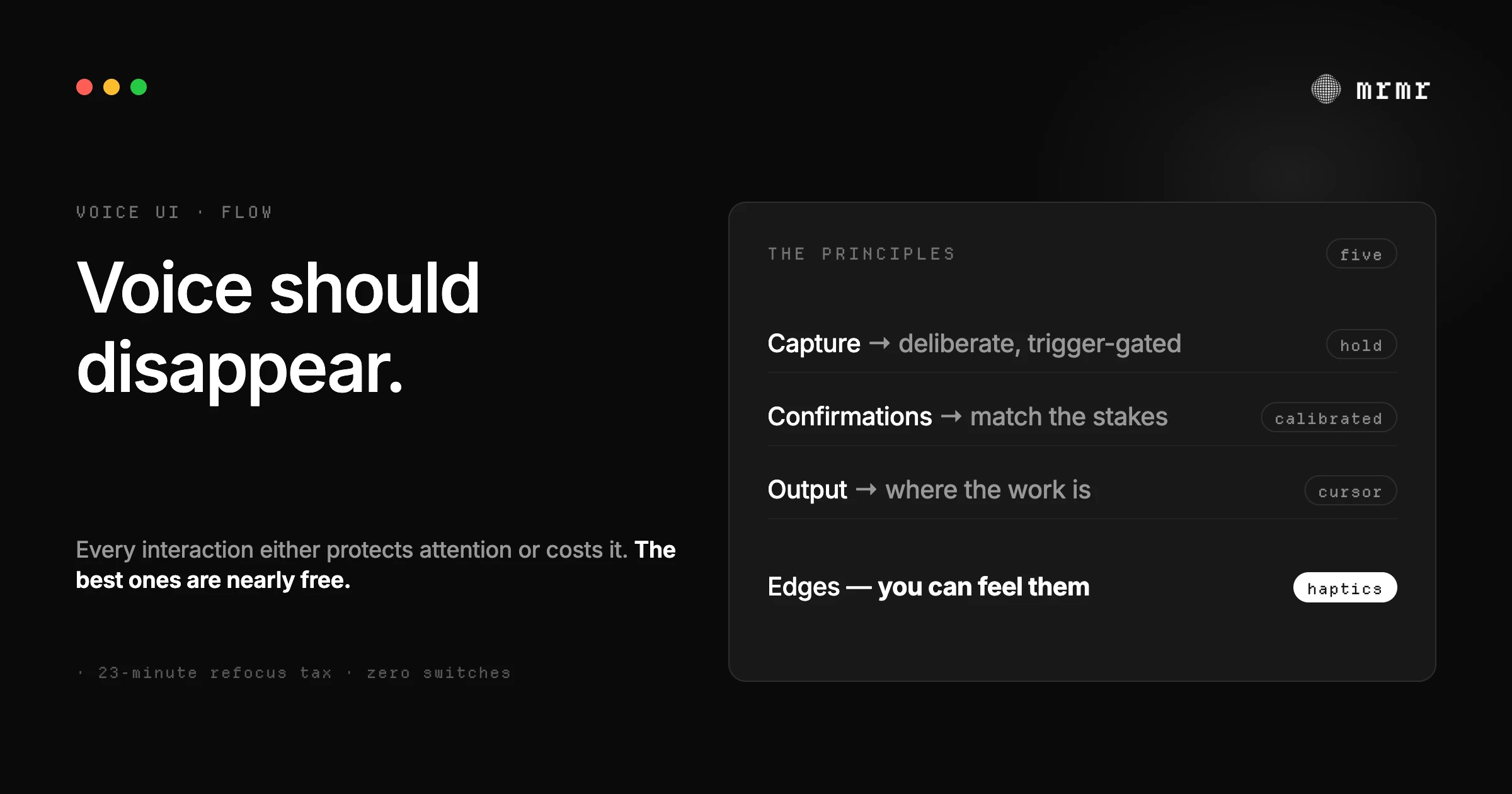
Five principles, for anyone building in this space:
- Capture on intention, never by default. The microphone follows your intent; it does not wait for it.
- Calibrate the asks. A confirmation is an interruption; spend them where the stakes are.
- Output lands where the work is. Never make the user carry the result across an app boundary.
- Give the interface edges. Audible, tactile, verifiable boundaries that cost no attention.
- Delegation without supervision, gated writes without exception. The agent works while you work; the person still approves the consequences.
The measure of all of them is the same: does the interaction cost less attention than the task it replaces? A voice interface that passes that test isn’t a demo anymore. It’s a way of working.
Sources
- Mark et al., The Cost of Interrupted Work: More Speed and Stress (CHI 2008, UC Irvine). The study behind the 23-minute figure: interruptions carry a measurable refocus cost, and the paper quantifies what broken focus actually prices in.
- Saltzer and Schroeder, The Protection of Information in Computer Systems (Communications of the ACM, 1975). Fail-safe defaults and least privilege, applied here to attention: the interface should demand the minimum of the user’s focus, not the maximum.
Frequently asked questions
What is voice-first design? An approach where voice is the primary way you interact with software, rather than a feature bolted onto a screen-first product. The difference is structural: a voice-first product organizes itself around speaking and listening (deliberate capture, spoken intent, output that goes where the work is), instead of treating the microphone as a keyboard alternative inside a screen-first app.
How do voice interfaces avoid breaking flow? By treating every interaction as an interruption with a measurable cost: capture only when the user intends it (trigger-gated, never always-on), calibrate confirmations to the stakes so asks stay rare and readable, insert output at the cursor rather than in a separate window, give the interface tactile and audible edges so state is known without looking, and let long tasks run in the background instead of holding the conversation hostage.
Why hold-to-talk instead of an always-on wake word? Two reasons. Flow: a deliberate trigger means the interaction starts and ends with your intention, so you’re never performing for a listening device. And trust: an always-on microphone is a standing privacy cost and a standing social cost (you’re never quite sure what it heard), while hold-to-talk is verifiable in a glance. The hands-free need is covered by the double-press latch, not by removing the off state.
What makes a confirmation dialog flow-friendly? Rarity and information density. It should fire only when the stakes are real, show the exact action and its exact arguments in plain language, and be enforced by the application so the model can’t skip it. A confirmation you read reflexively isn’t protecting anything; calibration is the whole design problem.
Doesn’t voice break focus with its own noise and interruptions? That’s the design failure this piece is about, not a property of voice. Spoken output should be one line unless asked for more. Capture edges should be tactile and audible but tiny. Long results render in a panel instead of being spoken back in full. The goal is that the voice interaction is quieter than the app switches it replaces, or it has failed its only job.
Try it
mrmr is a voice-first AI agent for Mac, designed around these principles from the first build: trigger-gated capture, calibrated confirmations, output at the cursor, edges you can feel, and background agents that work without supervision. It’s currently in private beta.
Join the private beta → Book a 20-minute setup call →
Related reading:

